



Start here: the safe way to buy Bitcoin, whatever you pay with
How to buy Bitcoin payment methods is a simple question with a messy answer. The right method depends on how fast you need the coins, what fee you accept, and whether you want a company to hold your Bitcoin for you.
This hub gives you the short universal steps first. Then it compares every payment route we cover on this site, so you can pick one without opening ten tabs.

Key takeaways
- Start here: the safe way to buy Bitcoin, whatever you pay with
- The universal steps that work with every payment method
- Step 1: Pick a place to buy, then verify your identity
- Step 2: Link your payment method and do a test buy
- Step 3: Check the price, fee, and total before you confirm
- Step 4: Withdraw to a wallet you control
- The comparison table no other site has: our own guides, side by side
- Choose by your situation, not by the loudest ad
- If you want the lowest fee and you can wait
- If you want Bitcoin today with the least fuss
- If you want to pay someone directly
- If you have never bought Bitcoin before
- Custodial or peer to peer: the choice that matters more than the app
- What a 500 dollar buy really costs: one verified example
- Common mistakes that cost new buyers real money
- Mistake 1: Buying from a stranger off platform
- Mistake 2: Sending Bitcoin to an address you did not verify
- Mistake 3: Treating a payment app balance as a savings account
- Mistake 4: Chasing a price spike with the most expensive method
- After you buy: move your coins, then keep learning
- Frequently Asked Questions
- What is the cheapest way to buy Bitcoin?
- Can I buy Bitcoin with Venmo, Zelle, or Cash App?
- Do I need ID to buy Bitcoin with any payment method?
- How much Bitcoin can I buy on my first day?
- Should I leave my Bitcoin on the app where I bought it?
- Conclusion: pick one method, buy small, withdraw, repeat
- Start with a small test buy, then move your Bitcoin to your own wallet.
- Bank transfers usually cost least, but they take longest to clear.
- Cash App and Venmo feel fastest for beginners, yet their fees change with order size.
- Zelle and other peer to peer routes move fast, but you cannot reverse a payment you send to a stranger.
- Always check the fee and price on the confirmation screen before you tap buy.
The universal steps that work with every payment method
Every route below follows the same backbone. Learn it once, and each guide on this site becomes easier to follow.
Step 1: Pick a place to buy, then verify your identity
Most regulated apps and exchanges ask for your name, date of birth, and a photo ID. That check is called KYC, and it protects the platform from fraud.
Peer to peer platforms may ask for less, but they still need some proof that you are a real person. Never buy from a seller who asks you to skip verification entirely.
Step 2: Link your payment method and do a test buy
Link one payment method at a time, and confirm the name on the account matches your own name. A mismatch can freeze a payment for days.

Buy a small amount first, even if you plan a larger buy later. A test buy proves the payment works, the price looks right, and you can withdraw.
Step 3: Check the price, fee, and total before you confirm
The price you see in an ad is rarely the price you pay. Apps add a fee, and many add a spread, which is a small markup on the Bitcoin price itself.
Read the confirmation screen line by line. If the total surprises you, stop and compare another method before you confirm.
Step 4: Withdraw to a wallet you control
Coins left on an app belong to you in law, but the app holds the keys. If the app freezes withdrawals, your coins stay stuck until it lifts the freeze.
Move your Bitcoin to a wallet where you hold the seed phrase. Our guide on how to store Bitcoin safely walks through hot and cold wallets in plain terms.
The comparison table no other site has: our own guides, side by side
Most buy Bitcoin guides compare methods in the abstract. This table compares the actual guides we publish on this site, so each row links to a full walkthrough with steps, fees, and limits.
Read the table by asking one question first: do you want speed, low cost, or privacy? No single method wins all three at once.
| Method | Route type | Speed | Typical cost shape | KYC level | Best for |
|---|---|---|---|---|---|
| Bank transfer | Custodial exchange | Slow, often 1 to 3 business days | Lowest trading fees, sometimes free deposits | Full | Larger buys where you can wait |
| Cash App | Custodial app | Minutes once verified | Tiered by order size, free above 2000 dollars and on auto buys | Full | Beginners in the United States who want Bitcoin only |
| Venmo | Custodial app | Minutes once verified | Fee shown before you confirm, plus a spread | Full | People who already keep money in Venmo |
| Zelle | Peer to peer | Minutes after you find a seller | No Zelle fee, but the seller sets the Bitcoin price | Varies by platform | Buyers who accept counterparty risk for speed |
| Debit card | Custodial exchange or app | Minutes | Highest card fees, often above bank transfer fees | Full | A first urgent buy when waiting is not an option |
That table is the exclusive piece in this hub. No other site builds its comparison from this exact set of guides, because no other site has this exact set of guides.
Use it as a shortlist, not a verdict. Click the row that fits your situation, and read its full guide before you send money.
Choose by your situation, not by the loudest ad
Ads rank methods by commission, not by fit. Your situation ranks them better, so start from what you actually need.
If you want the lowest fee and you can wait
Choose a bank transfer and place a larger, less frequent order. Our bank transfer guide shows the seven steps, and it explains why waiting for clearance beats paying a card fee every week.
Set the buy up in advance if you can. A planned transfer removes the urge to pay extra for speed during a price spike.
If you want Bitcoin today with the least fuss
Choose Cash App or Venmo if you already use one of them. Our Cash App guide covers seven steps, fees, and limits, while our Venmo guide covers six steps plus its own fee and limit rules.
Both apps hold your coins for you at first. That tradeoff buys simplicity, and you can withdraw to your own wallet later.
If you want to pay someone directly
Choose a peer to peer route such as Zelle, but treat it as a trade with a stranger, not a shop checkout. Our Zelle guide explains escrow, proof of payment, and the scams that target new buyers.
Never send a Zelle payment before the trade terms are locked in writing on the platform. A payment sent outside the platform has no trade to protect it.
If you have never bought Bitcoin before
Start by reading what Bitcoin actually is if the basics still feel fuzzy. A ten minute read now saves a costly misunderstanding later.
Then pick the method you already understand from daily life. Familiar payment rails mean fewer surprises on your first buy.
Custodial or peer to peer: the choice that matters more than the app
A custodial route means a company holds your Bitcoin after you buy it. A peer to peer route means you buy from another person, often through escrow that releases coins only after payment clears.
Custodial routes feel easier, and they offer password resets and support teams. Peer to peer routes can offer more payment choices and more privacy, but they put the risk of a bad counterparty on you.
What custodial really means for you
You gain convenience, and you lose direct control until you withdraw. Regulators can also require the company to freeze an account during a fraud check.
That risk is manageable if you withdraw promptly. It becomes serious only when people treat an exchange balance as long term storage.
What peer to peer really means for you
You gain choice, and you accept responsibility for checking the seller. Reputation, trade history, and escrow terms matter more than a low price.
A seller who offers a price far below market is not generous. That seller is usually running a scam, a stolen account, or a payment reversal trap.
What a 500 dollar buy really costs: one verified example
Fee tables confuse people because they mix percentages, flat fees, and spreads. One worked example clears that fog, so here is Cash App, using its published fee tiers.
Cash App charges 2 percent on market orders from 1 to 499 dollars, 1.5 percent from 500 to 999 dollars, 0.9 percent from 1000 to 1999 dollars, and no fee from 2000 dollars. A spread of up to 0.75 percent may still apply on market orders, while auto buys carry no fee and no spread.
| Order size | Cash App market fee | Maximum spread at 0.75 percent | Total cost at most |
|---|---|---|---|
| 100 dollars | 2 dollars | 0.75 dollars | 2.75 dollars |
| 500 dollars | 7.50 dollars | 3.75 dollars | 11.25 dollars |
| 1000 dollars | 9 dollars | 7.50 dollars | 16.50 dollars |
| 2000 dollars | 0 dollars | Up to 15 dollars on sells, check the screen on buys | Check the screen |
The lesson is not that Cash App is cheap or expensive in general. The lesson is that order size changes the math, so splitting a 2000 dollar buy into four small buys can cost more than one larger buy.
Other methods hide their cost in different places. A bank transfer may look free until the exchange adds a trading fee, and a peer to peer seller may hide cost in a price above market.
Common mistakes that cost new buyers real money
Most losses in this space do not come from price drops. They come from rushed payments, fake support accounts, and coins left on platforms for months.
Mistake 1: Buying from a stranger off platform
Scammers move chats to private messaging apps for one reason. Off platform, no escrow protects you, and no support team can reverse the trade.
Keep every trade inside the platform, even when the seller sounds friendly. Friendliness is cheap, and escrow is not.
Mistake 2: Sending Bitcoin to an address you did not verify
Copy an address, then check its first and last characters before you send. Malware can swap an address in your clipboard without any visible warning.
Send a tiny test amount to a new wallet address first. A test costs a small network fee, and it can save your full balance.
Mistake 3: Treating a payment app balance as a savings account
Payment apps are built for spending, not for long term storage. Their support teams cannot restore a seed phrase you never created.
Withdraw after you buy, back up your seed phrase offline, and test a restore with a small amount. That habit matters more than picking the perfect wallet.
Mistake 4: Chasing a price spike with the most expensive method
A debit card buy during a spike can cost double: a high card fee plus a price that already moved. Panic turns a small fee gap into a real loss.
Decide your method before the market moves. A calm plan beats a fast card every time.
After you buy: move your coins, then keep learning
Buying is only half the job. The second half is custody, and it decides whether your Bitcoin survives a hacked account, a frozen app, or a lost phone.
Start with a wallet you understand, write the seed phrase on paper, and store that paper away from your phone. Never photograph a seed phrase, and never type it into a website that asks for it.
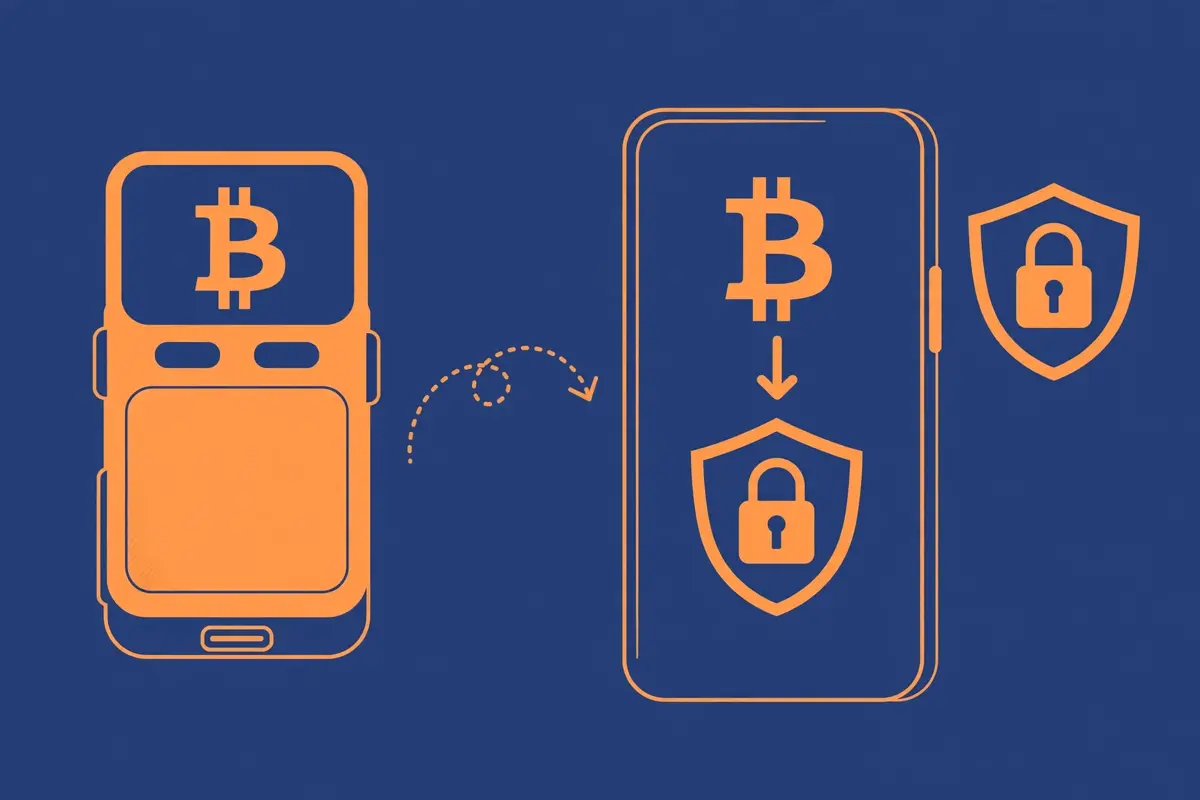
From here, read the guide for the method you chose, then the custody guide linked above. That sequence takes you from first payment to real ownership without skipping a step.
Frequently Asked Questions
These answers cover the questions new buyers ask most often. Each answer stays short, because the full guides above hold the detail.
What is the cheapest way to buy Bitcoin?
Bank transfers usually win on fees for larger buys, because they avoid card processing costs. The tradeoff is time, since clearance can take one to three business days.
Can I buy Bitcoin with Venmo, Zelle, or Cash App?
Yes, each route works, but each works differently. Cash App and Venmo sell Bitcoin inside the app, while Zelle usually pays a peer to peer seller rather than buying Bitcoin directly.
Do I need ID to buy Bitcoin with any payment method?
Most regulated apps and exchanges require ID verification before your first buy. Some peer to peer platforms ask for less, but a seller who wants no proof at all is a warning sign, not a benefit.
How much Bitcoin can I buy on my first day?
Limits depend on the app, your verification level, and your payment method. Start small, complete verification fully, and check the limit shown in the app before you plan a large buy.
Should I leave my Bitcoin on the app where I bought it?
No, not for long term storage. Withdraw to a wallet you control, back up the seed phrase offline, and keep only spending amounts on an app or exchange.
Conclusion: pick one method, buy small, withdraw, repeat
How to buy Bitcoin payment methods stops feeling confusing once you rank speed, cost, and control for yourself. Bank transfers suit patient, larger buys, Cash App and Venmo suit fast beginner buys, and peer to peer routes suit buyers who understand escrow risk.
Pick one method from the table above, read its full guide, buy a small test amount, and withdraw it to your own wallet. That single loop teaches you more than ten more articles ever will.