


Short answer: You buy Bitcoin with Pix by opening an account on an exchange that accepts Brazilian reais, verifying your identity with your CPF, depositing reais through Pix, and then placing a buy order for Bitcoin on the BTC/BRL market. Pix moves the money in seconds, and it costs nothing for individuals to send.
The exchange fee is where the real cost sits, so your choice of route matters more than your choice of bank.

Key takeaways
- Pix is free for individuals, instant, and available 24 hours a day, every day of the year.
- A Pix deposit to a licensed exchange plus a spot order is usually the cheapest route for larger buys.
- Banking apps such as Nubank Cripto are simpler, but they often cost more per trade and limit withdrawals.
- Your CPF on the exchange account must match the CPF on the bank account that sends the Pix.
- After you buy, move your Bitcoin to a wallet you control if you plan to hold it long term.
What Pix Is, and Why It Changes the Buy
Pix is Brazil’s instant payment system, run by the Banco Central do Brasil, the country’s central bank. It launched in November 2020, and it now handles a huge share of everyday payments in Brazil.
- What Pix Is, and Why It Changes the Buy
- The Route and Cost Comparison Nobody Else Puts in One Table
- Before You Start: What You Need
- Step by Step: Buy Bitcoin With Pix on an Exchange
- Step 1: Pick a licensed exchange
- Step 2: Create and verify your account
- Step 3: Deposit reais with Pix
- Step 4: Place your buy order
- Step 5: Check your balance, then decide where the coins live
- Fees in Plain Numbers: What a R$5,000 Buy Really Costs
- The CPF Match Rule: The Deposit That Bounces
- Brazil’s New Licensing Rules, in Plain Language
- Pix Limits and Fraud Checks That Actually Matter
- Moving Bitcoin to Your Own Wallet
- Common Mistakes to Avoid
- Pix vs Other Ways to Pay for Bitcoin
- Frequently Asked Questions
- Can I buy Bitcoin with Pix?
- Is Pix free for buying Bitcoin?
- How much Bitcoin can I buy with Pix?
- Why did my Pix deposit bounce?
- Is Pix safe for buying Bitcoin?
- Should I buy on an exchange or in my banking app?
- Conclusion
- Sources
Pix settles a transfer between bank accounts in seconds. It works at night, on weekends, and on public holidays, so you never wait for banking hours to fund a buy.
Pix itself does not sell you Bitcoin. Your bank sends reais, and the exchange credits those reais to your account balance.
You then buy Bitcoin from that balance, or you use a one-click buy that prices the trade for you.
This guide compares the routes honestly, because the Pix step looks identical everywhere and the price you pay does not. A R$5,000 buy can cost about R$5 in trading fees on one route and R$35 on another, before any spread.

That gap is the whole story.
The Route and Cost Comparison Nobody Else Puts in One Table
Most Pix guides list exchanges and stop there. This table puts the three routes side by side on the same R$5,000 example, so you can see the trade-off between price, simplicity, and control.
| Route | How you buy | Typical trading cost on R$5,000 | Can you withdraw to your own wallet? |
|---|---|---|---|
| Licensed exchange, Pix deposit plus spot order (example: Bybit) | Deposit BRL by Pix, then place a limit or market order on BTC/BRL | About R$5 at a 0.10% spot fee | Yes, subject to network fees and security checks |
| Brazilian exchange (example: Mercado Bitcoin) | Deposit BRL by Pix, then buy on the exchange order book | About R$35 as a taker at a 0.70% fee; about R$15 as a maker at 0.30% | Yes |
| Banking app (example: Nubank Cripto) | Buy inside the bank app at a single quoted price | About R$30 at a 0.60% fee tier for most customers, with the fee shown before you confirm | Only for some coins; many tokens cannot leave the app |
Read the table as a starting point, not a promise. Exchanges change fees, and your personal fee tier can differ.
Check the fee screen on the day you buy, and compare the final amount of Bitcoin you receive, not just the headline rate.
The cheapest route wins when you buy larger amounts or buy often. The banking app wins when you want a small, simple, recurring buy and you do not mind leaving the coins inside the app for now.
Before You Start: What You Need
You need a Brazilian bank account that supports Pix, a CPF, and a photo ID such as an RG or a CNH driving licence. Most exchanges also ask for proof of address, especially since the new licensing rules took effect.
You need a small amount of reais to start. Many exchanges let you start from about R$10, and Nubank Cripto starts from R$1.
You never need to buy a whole Bitcoin, because Bitcoin divides into tiny units called satoshis.
Set up two-factor authentication on the exchange before you deposit anything. Use an authenticator app rather than SMS codes when the exchange offers that choice.
This single step blocks most account takeover attempts.
Step by Step: Buy Bitcoin With Pix on an Exchange
Follow these steps in order, and do not rush the deposit screen. A Pix transfer settles instantly, so a mistake is hard to undo.
Step 1: Pick a licensed exchange
Pick an exchange that serves Brazilian residents under the central bank’s new authorization regime. Mercado Bitcoin, Foxbit, and Binance Brasil are common starting points for beginners, and Bybit moved Brazilian residents onto a local entity in 2026.
Check the exchange’s authorization status on its own site before you sign up. From November 6, 2026, banks and payment institutions cannot deal with crypto providers that lack authorization, so an unlicensed platform can lose its Pix rail with little warning.
Step 2: Create and verify your account
Sign up with your email and a strong, unique password. Enter your CPF exactly as it appears on your official documents, because the CPF match rule in the next section depends on it.
Complete identity verification by uploading a selfie and a photo of your RG or CNH. Verification usually finishes within minutes, but it can take a few hours when the exchange needs a manual review.
Step 3: Deposit reais with Pix
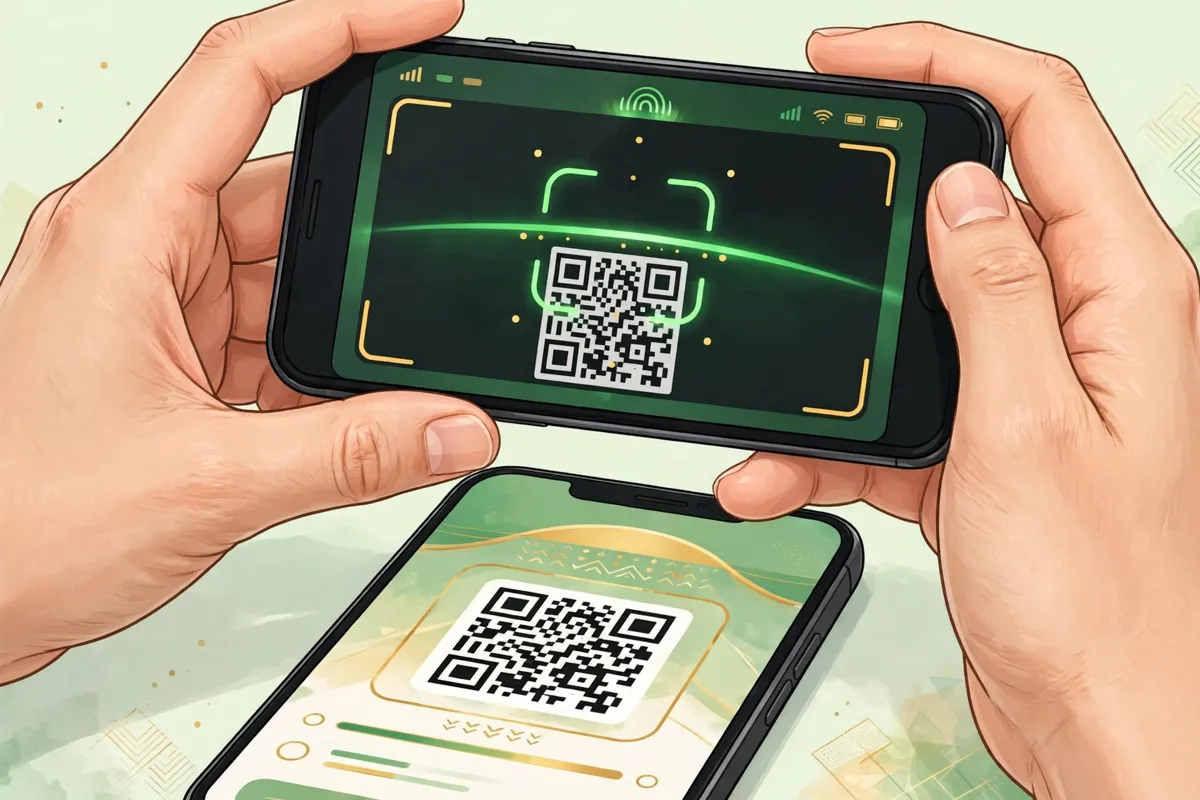
Open the deposit screen, choose fiat, then BRL, then Pix. The exchange shows a QR code or a copia e cola code, which is a text string you paste into your banking app.
Open your banking app, scan the code or paste the string, and check the recipient name before you approve. The recipient should be the exchange’s legal entity, not a personal name you do not recognize.
Approve the payment, and wait for the reais to appear in your exchange balance. Pix usually lands in seconds, but allow a few minutes during busy periods before you contact support.
Step 4: Place your buy order
Open the spot market and select the BTC/BRL pair. A market order buys at the current price right away, while a limit order buys only at the price you set.
Beginners often prefer a market order for a first buy, because it is simple and it fills immediately. A limit order suits you better when you want to control the exact price and you do not mind waiting.
Enter the amount in reais, review the fee and the estimated Bitcoin you will receive, and confirm. One-click buy screens use the same balance, but they build a spread into the price instead of charging the plain spot fee.
Step 5: Check your balance, then decide where the coins live
Confirm the Bitcoin balance in your exchange account after the order fills. Take a screenshot of the order confirmation for your own records, and keep it with your tax notes.
Decide now whether the coins stay on the exchange or move to your own wallet. Short term traders often leave a small balance on the exchange, while long term holders move the bulk of it out.
Fees in Plain Numbers: What a R$5,000 Buy Really Costs
Pix costs you nothing as an individual sender, so the exchange fee dominates the bill. Work through the numbers before you trade, because a small percentage difference grows with every buy.
At Bybit’s 0.10% spot fee, a R$5,000 buy costs about R$5 in trading fees. At Mercado Bitcoin’s standard taker fee of 0.70%, the same buy costs about R$35.
At Nubank Cripto’s 0.60% tier for most customers, it costs about R$30.
Banking apps add another wrinkle: they quote a single price that already includes the fee and any spread. That price looks clean, but you cannot compare it with an order book price unless you check how much Bitcoin you actually receive for the same reais.
Withdrawal fees sit outside the buy price. Exchanges charge a network fee when you move Bitcoin to your own wallet, and that fee varies with network congestion.
Check it before you withdraw, and avoid withdrawing tiny amounts where the fee eats a large share.
The CPF Match Rule: The Deposit That Bounces
Brazilian exchanges require the CPF on your exchange account to match the CPF on the bank account that sends the Pix. This rule protects both sides, and it catches many first time buyers by surprise.
If you send Pix from a company account, a relative’s account, or an account under a different CPF, the exchange can reject the deposit. The money usually returns to the sender, but the delay can last days and it can trigger extra checks.
Send every Pix deposit from your own bank account, under your own CPF. If you share a bank account with a partner, use an individual account for exchange deposits instead.
Brazil’s New Licensing Rules, in Plain Language
Brazil’s crypto law, Law 14,478 of 2022, gave the central bank the job of regulating crypto service providers. The central bank published Resolutions 519, 520, and 521 on November 10, 2025, and those rules took effect on February 2, 2026.
Under the new regime, a provider that serves Brazilian clients needs prior authorization from the central bank. Existing operators had a 270 day window to apply, and that window closed in late October 2026.
From November 6, 2026, banks and payment institutions cannot operate with crypto providers that lack authorization. For you as a buyer, this rule means one practical check: use a platform that has applied for or holds authorization, and watch for notices about account migration.
Bybit’s move illustrates the shift. It moved Brazilian residents onto a Brazilian entity, and it now requires Level 2 verification, including proof of address, before a first Pix deposit.
Expect similar migration notices from other global platforms.
Pix Limits and Fraud Checks That Actually Matter
Pix has no general maximum for individuals, but your bank sets its own daily and per-transaction limits. Your bank’s limit is the practical cap on any single deposit, so raise it in your banking app before a large buy if you need to.
Nighttime person to person Pix transfers between 8 pm and 6 am carry a R$1,000 limit by default. That limit targets street crime, and it can affect a late night P2P trade even when your daytime limit is far higher.
Fraud is the real risk with Pix, not speed. Reports put Pix fraud at about R$6.5 billion last year, and scammers exploit the fact that Pix settles instantly and cannot be cancelled once sent.
Run these checks on every deposit. Verify the recipient’s legal name and CNPJ on the banking screen before you approve.
Never send Pix to a seller who pressures you to pay outside an exchange escrow system. Never share a verification code with anyone who contacts you first.
If you fall victim to fraud, report it to your bank at once and ask about the Special Return Mechanism, the central bank’s refund procedure for suspected fraud. Act fast, because recovery depends on freezing the funds before the scammer moves them on.
Moving Bitcoin to Your Own Wallet
An exchange account is convenient, but the exchange holds the keys while your coins sit there. A wallet you control gives you the keys, and it removes the risk that an exchange freeze or failure locks you out.
Start with a reputable mobile wallet for a small test withdrawal. Send a small amount first, confirm it arrives, and only then move the rest.
Copy the wallet address carefully, and check the first and last characters before you confirm. Bitcoin transactions cannot be reversed, so a wrong address can lose the coins permanently.
Write down your wallet recovery phrase on paper, and store it somewhere safe and private. Never photograph it, never store it in a cloud note, and never share it with support staff, because real support never asks for it.
Common Mistakes to Avoid
Many beginners buy through a one-click screen without noticing the spread. Compare the Bitcoin you receive with a spot order for the same reais, and switch to spot orders when the gap grows.
Some buyers send Pix from the wrong account and watch the deposit bounce. Use your own CPF-linked account every time, and keep the deposit receipt until the funds credit.
Others leave large balances on an exchange for months. Move long term holdings to your own wallet, and keep only the amount you plan to trade soon on the exchange.
A few buyers ignore tax records until filing season. Note each buy, including the date, the reais spent, and the Bitcoin received, because Brazil’s reporting rules cover monthly activity above certain thresholds on foreign platforms, P2P trades, and self custody.
Pix vs Other Ways to Pay for Bitcoin
Pix beats cards and bank transfers in Brazil on speed and cost for individuals. Cards often add percentage fees and cash advance treatment, while old TED transfers only ran during banking hours.
Other payment guides in this series cover different rails. Our Maya guide compares in-app crypto with P2P funding in the Philippines, and our GCash guide covers the closest parallel to Pix for Filipino buyers.
Our M-Pesa guide shows how Kenya’s mobile money rail handles the same escrow and seller checks.
If you usually pay from a phone wallet, compare Pix with our Google Pay guide for a different mobile rail. The comparison shows why a bank rail usually beats a wallet rail on fees for larger buys.
If you are new to buying Bitcoin in Brazil itself, start with our Brazil country guide for the full local picture. Our payment methods hub compares every way to pay in one place when you want to weigh Pix against other options.
Frequently Asked Questions
Can I buy Bitcoin with Pix?
Yes. Most exchanges that serve Brazil accept Pix deposits in reais, and the funds usually arrive within seconds.
You then buy Bitcoin from your reais balance on the BTC/BRL market.
Is Pix free for buying Bitcoin?
Pix itself is free for individuals to send. You still pay the exchange’s trading fee, and possibly a spread on one-click buys, plus a network fee when you withdraw Bitcoin.
How much Bitcoin can I buy with Pix?
You can start from about R$10 on many exchanges, and you can buy a fraction of a Bitcoin. Your bank’s daily Pix limit sets the practical ceiling for a single deposit.
Why did my Pix deposit bounce?
The most common reason is a CPF mismatch between your exchange account and your bank account. Send Pix only from your own CPF-linked account, and check the recipient details before you approve.
Is Pix safe for buying Bitcoin?
Pix is safe when you use a licensed exchange and verify the recipient before you approve. Pix transfers cannot be cancelled, so never send funds to an unverified seller or outside exchange escrow.
Should I buy on an exchange or in my banking app?
Use an exchange with a spot order when cost matters and you want to withdraw to your own wallet. Use a banking app when you want the simplest small buy and you accept a higher fee and limited withdrawals.
Conclusion
Pix gives Brazilian buyers the fastest, cheapest funding rail in the country. The Pix step itself is simple, and the real decision is the route you pair it with.
For most buyers, a Pix deposit to a licensed exchange plus a spot order on BTC/BRL gives the best price and full withdrawal control. Check the fee screen, match your CPF, verify the recipient, and move long term holdings to your own wallet.
That routine turns a fast payment into a safe first buy, and it scales cleanly when your buys grow.