



Here is the short answer: you cannot switch on Bitcoin inside Squarespace checkout, because Squarespace does not support it. But you can still learn how to accept bitcoin payments on squarespace through a workaround, and the best one takes less than an hour to set up.
Most guides skip the awkward part. They tell you to install a plugin or flip a setting that does not exist.

Squarespace has no Bitcoin button, no crypto plugin, and no native checkout option for BTC. So this guide starts with what actually works in 2026, compares the real routes side by side, and then walks you through the best pick step by step.
- Key takeaways
- The Honest Truth First: Squarespace Does Not Accept Bitcoin Natively
- How to Accept Bitcoin Payments on Squarespace: Your 4 Options at a Glance
- Option 1: Hosted Payment Link From a Gateway (Recommended)
- Step 1: Create your gateway account
- Step 2: Create a payment link for your product
- Step 3: Add a “Pay with Bitcoin” button to your Squarespace page
- Step 4: Test it with a small payment
- Step 5: Tell buyers it exists
- Option 2: Manual Wallet Address and QR Code
- Option 3: BTCPay Server Payment Links
- Option 4: Stablecoins Through Stripe (The Halfway Option)
- What It Actually Costs: A Worked Example on a $120 Order
- Handling Price Swings, Refunds, and Tax
- Common Mistakes to Avoid
- FAQs
- Can Squarespace accept Bitcoin directly?
- Do I need a developer to accept Bitcoin on Squarespace?
- Which Bitcoin gateway is cheapest for Squarespace?
- How long does it take to set up Bitcoin payments on Squarespace?
- Can customers pay with Lightning on Squarespace?
- Do I have to hold Bitcoin if I accept it?
- Conclusion
- Sources
Key takeaways
- Squarespace does not accept Bitcoin natively. Its own help pages list Bitcoin as a payment method Stripe cannot take on Squarespace.
- The easiest route is a hosted payment link from a gateway such as NOWPayments or CoinGate, added to your store as a “Pay with Bitcoin” button.
- Expect to pay about 1% per sale with a hosted gateway, or 0% with BTCPay Server if you run your own server.
- On a $120 order, a Bitcoin payment through NOWPayments costs you $1.20. The same card sale costs about $3.78.
- You never have to hold Bitcoin. Every gateway in this guide can convert BTC to dollars automatically.
The Honest Truth First: Squarespace Does Not Accept Bitcoin Natively
Let us clear this up before you waste an afternoon hunting through settings. Squarespace Commerce takes payments through Squarespace Payments, Stripe, PayPal, and Square for in-person sales.
None of those rails moves Bitcoin.
Squarespace says so in its own help center. Its Stripe FAQ lists Bitcoin under the payment methods Squarespace is unable to accept.
Stripe does support stablecoin payments through Link, but stablecoins are not Bitcoin, and that option does not put BTC on your checkout page either.

That gap is why most of the guides ranking for this topic feel off. The only Squarespace-specific guide with any real detail is a vendor promo for one gateway, and it is more than three years old.
It never mentions that Squarespace has no native option, and it never compares the gateway it sells against anything else. You deserve better than that, so here is the full picture.
How to Accept Bitcoin Payments on Squarespace: Your 4 Options at a Glance
Every working method falls into one of four buckets. The table below shows how they stack up before we dig into each one.
| Route | How it works | Fee per sale | Setup effort | Best for |
|---|---|---|---|---|
| Hosted payment link (NOWPayments, CoinGate) | A “Pay with Bitcoin” button sends the buyer to a hosted checkout page | About 1% | 30 to 60 minutes, no code skills needed | Most stores |
| Manual wallet address | You show your Bitcoin address and a QR code, and the buyer pays you directly | 0% (buyer pays the network fee) | 15 minutes | One-off sales, donations, services |
| BTCPay Server payment link | Your own self-hosted server creates invoices and payment links | 0% plus server hosting | A few hours, some technical comfort needed | High volume, privacy-first sellers |
| Stablecoins through Stripe | Customers pay with a dollar-pegged stablecoin through Link by Stripe | 1.5% (Stripe stablecoin rate) | Minutes, if already enabled | Sellers who want crypto-adjacent payments without Bitcoin itself |
If you only remember one row, remember the first. A hosted payment link is the route most Squarespace sellers should pick, and the walkthrough below covers it in full.
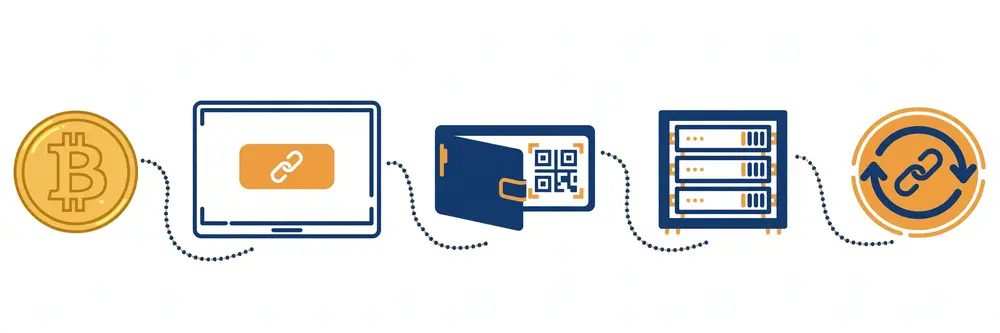
The other three still have their place, and we will cover when each one wins.
Option 1: Hosted Payment Link From a Gateway (Recommended)
This is the closest thing to a normal checkout that Squarespace allows. You sign up with a crypto payment gateway, and it gives you a payment link or a button for each order.
Your customer clicks it, pays in Bitcoin on the gateway’s page, and comes back to your store. You get an email when the payment lands.
The two gateways that fit Squarespace best in 2026 are NOWPayments and CoinGate, which we compare head to head in our processor guide. Both charge 1% per transaction, both settle in Bitcoin or convert to dollars, and both work through simple payment links with no plugin to install.
That matters, because Squarespace has no plugin system for crypto payments at all.
Here is the full setup, using NOWPayments as the example. CoinGate works almost the same way, and we note the differences where they matter.
Step 1: Create your gateway account
Go to the NOWPayments site and create a merchant account. You only need an email address to start.
Add your Bitcoin wallet address in the dashboard, and decide whether you want payouts in Bitcoin or converted to dollars. If you pick dollars, the gateway handles the conversion and sends fiat to your bank.
Step 2: Create a payment link for your product
Open the payment link tool in your gateway dashboard. Enter the product name, the price in dollars, and your store’s order confirmation page as the redirect.
The gateway creates a unique link and a QR code for that product. Repeat this for each product you sell, or create one generic link and set the amount at checkout.
Step 3: Add a “Pay with Bitcoin” button to your Squarespace page
In your Squarespace editor, open the product page or checkout page where buyers should see the option. Add a Code Block and paste a simple button that links to your payment link.
The button text should say exactly what it does, something like “Pay with Bitcoin”. Place it right under your normal checkout button so buyers see both choices.
Step 4: Test it with a small payment
Send yourself a $1 test payment from a Bitcoin wallet you control. Watch the gateway dashboard until it marks the payment confirmed.
Check that the redirect brings you back to the right page. Only after this test works should you tell customers the option is live.
Step 5: Tell buyers it exists
Add one line to your product pages and your shipping and payment info page: “We accept Bitcoin. Choose Pay with Bitcoin at checkout.” Most Squarespace sellers lose Bitcoin sales simply because buyers never notice the option.
A short line fixes that.
CoinGate follows the same five steps. Its dashboard calls the feature payment buttons and links, and its 1% fee matches NOWPayments.
CoinGate adds one perk for European sellers: it is an EU-licensed provider, and its weekly fiat payouts land by bank transfer with no extra charge.
Option 2: Manual Wallet Address and QR Code
This is the simplest route of all, and it costs nothing. You publish your Bitcoin address on your site, the buyer sends Bitcoin to it, and you ship the order once you see the payment.
No gateway, no account, no fees.
It works best for services, custom orders, and one-off sales where you talk to the buyer anyway. The same simple approach also works for tips and contributions, as our guide to accepting Bitcoin donations on your website shows.
A web designer who takes a deposit, a coach who sells a session, or an artist who sells a single piece can use this route today with zero setup.
It has real limits, though. You must check every payment by hand, match it to the right order, and mark the order paid yourself.
There is no automatic confirmation, no refund button, and no protection if a buyer sends the wrong amount. Use a fresh address for each order, and never reuse one address across your whole store.
Reused addresses leak your sales history to anyone who looks.
To set it up, open your wallet, copy a receiving address, and paste it on a dedicated payment page with a QR code image.

Add the price in dollars next to it, plus a note that the buyer should email you the transaction ID after paying. That is the whole setup, and it takes about fifteen minutes.
Option 3: BTCPay Server Payment Links
BTCPay Server is free, open-source software that you run on your own server. It charges no fee on any payment, and nobody holds your money.
It also supports Lightning payments, which settle in seconds and cost less than a cent.
The catch is that BTCPay Server has no official Squarespace plugin. Its own team said in its 2024 year-in-review post that a Squarespace integration still needed research, and nothing has shipped since.
So you cannot plug it into Squarespace checkout the way WooCommerce sellers can. What you can do is use BTCPay Server payment links, which work the same way as the hosted gateway links in Option 1.
Set up a BTCPay Server store, create a payment link for a product, and paste that link behind a button on your Squarespace page. The buyer lands on your own BTCPay checkout page instead of a third-party one.
You keep full control, you pay no per-sale fee, and your only cost is server hosting, which usually runs $10 to $70 a month depending on the host.
This route fits sellers who already run a server, sell in real volume, or care about privacy. If that is not you, Option 1 is the smarter pick.
Our step-by-step BTCPay Server setup guide walks through the server install if you want to go this way.
Option 4: Stablecoins Through Stripe (The Halfway Option)
Stripe lets Squarespace sellers accept stablecoin payments through Link by Stripe, at a 1.5% fee. A stablecoin is a crypto token pegged to the dollar, so the buyer pays with crypto and you receive dollars without price swings.
This is not Bitcoin, and it will not satisfy a buyer who wants to pay with BTC. But it is the only crypto-flavored option that lives inside Squarespace’s own payment settings, and it needs no extra account or button.
If your goal is to accept some form of crypto with the least friction possible, it is worth turning on alongside a real Bitcoin option.
What It Actually Costs: A Worked Example on a $120 Order
Fees sound small until you run the numbers on a real order. Here is what each route costs you on a single $120 sale, using published rates checked in November 2026.
| Payment method | Fee on a $120 order | You keep |
|---|---|---|
| Card through Stripe (2.9% + 30 cents) | $3.78 | $116.22 |
| NOWPayments (1%) | $1.20 | $118.80 |
| CoinGate (1%) | $1.20 | $118.80 |
| BitPay (2% + 25 cents) | $2.65 | $117.35 |
| BTCPay Server (0%) | $0.00 | $120.00 |
| Manual wallet address (0%) | $0.00 | $120.00 |
| Stablecoins through Stripe (1.5%) | $1.80 | $118.20 |
The gap adds up fast. On 100 orders of $120 each, NOWPayments costs you $120 in fees while card payments cost $378.
BTCPay Server costs nothing per sale, but remember the hosting bill. At $10 to $70 a month, it only beats a 1% gateway once your monthly Bitcoin sales pass roughly $1,000 to $7,000.
Watch for the fees hiding behind the headline rate. CoinGate charges a payout fee of 0.50 euro plus 0.5% when you withdraw crypto, and BitPay’s 2% rate only drops once you pass $500,000 a month.
NOWPayments adds another 1% if you ask it to convert the payment into a different coin. Read the payout terms before you pick, not just the transaction fee.
Handling Price Swings, Refunds, and Tax
Bitcoin’s price moves, and that scares new sellers more than anything else. The fix is simple: price your products in dollars, and let the gateway convert the Bitcoin payment at the moment of sale.
The buyer sees the exact BTC amount for that minute, and you receive the dollar value you listed. You never hold Bitcoin unless you choose to.
Refunds need a plan before your first sale. Bitcoin payments cannot be reversed, so a refund means sending Bitcoin back to the buyer’s wallet by hand.
Ask for a refund address in your refund policy, and process crypto refunds at the dollar value of the original order, not the current Bitcoin price. That keeps the math fair for both sides.
Tax is the part sellers forget. In most countries, a Bitcoin sale is still a normal sale for tax purposes, and converting Bitcoin to dollars can create a separate taxable event.
Keep a record of every order: date, dollar price, BTC amount, and gateway receipt. Your accountant will thank you, and so will you at tax time.
If you want the bigger picture on running a Bitcoin-accepting business, start with our complete business guide to accepting Bitcoin payments.
Common Mistakes to Avoid
Most Squarespace sellers who try Bitcoin trip over the same few mistakes. Here are the ones to dodge.
First, do not promise Bitcoin at checkout before the button works. Test the full flow with your own wallet first, or your first Bitcoin customer will hit a dead link.
Second, do not use a single wallet address for every order. One shared address makes it impossible to tell which buyer paid for what, and it exposes your total sales to the public blockchain.
Third, do not forget the confirmation wait. On-chain Bitcoin payments need network confirmations, which can take ten minutes or more.
Tell buyers the order ships after confirmation, or use a gateway that accepts zero-confirmation Lightning payments for small orders.
Fourth, do not hide the option. A Bitcoin button buried at the bottom of a page gets no clicks.
Put it next to the normal checkout button, and mention it on your payment info page.
Finally, do not pick a gateway on fee alone. A 1% gateway with fast support beats a cheaper one that leaves you stuck when a payment goes missing.
Check recent reviews and test the support channel before you commit.
FAQs
These are the questions Squarespace sellers ask most about taking Bitcoin. Each answer uses the same facts as the guide above.
Can Squarespace accept Bitcoin directly?
No. Squarespace has no native Bitcoin checkout, and its own Stripe FAQ lists Bitcoin as a payment method it cannot accept.
You need a workaround: a hosted payment link from a gateway, a manual wallet address, or a BTCPay Server payment link.
Do I need a developer to accept Bitcoin on Squarespace?
No, not for the recommended route. A hosted payment link from NOWPayments or CoinGate only needs you to paste a button into a Squarespace Code Block.
You only need developer help if you self-host BTCPay Server.
Which Bitcoin gateway is cheapest for Squarespace?
BTCPay Server charges 0% per sale, but you pay $10 to $70 a month for hosting. Among hosted gateways, NOWPayments and CoinGate both charge 1% per transaction.
BitPay costs more at 2% plus 25 cents per sale.
How long does it take to set up Bitcoin payments on Squarespace?
A hosted gateway takes 30 to 60 minutes, including a test payment. A manual wallet address takes about 15 minutes.
BTCPay Server takes a few hours because you must set up the server first.
Can customers pay with Lightning on Squarespace?
Yes, through BTCPay Server or CoinGate, both of which support Lightning payments. Lightning settles in seconds and costs less than a cent, which makes it a good fit for small orders.
Do I have to hold Bitcoin if I accept it?
No. NOWPayments, CoinGate, and BitPay can convert Bitcoin to dollars automatically and pay you in fiat.
You only hold Bitcoin if you choose that payout option.
Conclusion
Squarespace will not hand you a Bitcoin button, but that is not the end of the story. A hosted payment link from NOWPayments or CoinGate gets you live in under an hour at about 1% per sale, and it is the right pick for most stores. See our Lightning payments guide.
Sellers who want zero fees and full control can run BTCPay Server payment links instead, and sellers with one-off orders can start today with a plain wallet address and a QR code.
Pick one route, run a $1 test payment, and put the button where buyers can see it. That is the whole job.
And if you sell on other platforms too, the same thinking applies: our Shopify Bitcoin guide and our BigCommerce Bitcoin guide walk through the same choice on those platforms. If you sell on Wix instead, see our Wix Bitcoin payments guide.
Sources
- Squarespace Help Center: Stripe FAQ (Bitcoin listed as a payment method Squarespace is unable to accept)
- Squarespace Help Center: What payment methods can I accept with Squarespace Commerce?
- BTCPay Server Blog: Accelerating Bitcoin adoption, 2024 in review and 2025 ambitions (Squarespace integration still under research)