



Learning how to invoice clients in bitcoin sounds harder than it is. You send a normal-looking bill, your client pays from their wallet, and the money lands with you in minutes.
That is the short version. The longer version matters too, because one wrong choice can cost you real money.

Price the invoice in the wrong currency, and a bad week for Bitcoin eats your margin. Skip the expiry window, and your client pays a stale amount three days late.
- What Is a Bitcoin Invoice, Really?
- How to Invoice Clients in Bitcoin: Two Decisions Come First
- Pick Your Invoicing Tool
- How to Invoice Clients in Bitcoin with BTCPay Server
- A Worked Example: The $1,000 Invoice
- What Happens When the Price Moves
- How to Get Paid Faster
- Bookkeeping Basics for Bitcoin Invoices
- Common Mistakes to Avoid
- Frequently Asked Questions
- Is it legal to invoice clients in Bitcoin?
- Does my client need to own Bitcoin already?
- What happens if my client pays after the invoice expires?
- How do I report Bitcoin invoice income on my taxes?
- Should I offer a discount for paying in Bitcoin?
- What is the cheapest way to invoice clients in Bitcoin?
- Sources
- Send Your First Bitcoin Invoice Today
This guide walks you through the whole process as a small business owner, not a freelancer chasing gig payments. You will pick a pricing method, choose a tool, send your first invoice, and keep clean books after the payment lands.
Key takeaways
- Invoice in dollars and convert at checkout if you want stable revenue, or invoice in bitcoin if you want to stack sats.
- BTCPay Server costs nothing and takes no cut, while Zaprite gives you polished invoices and reminders for about $25 a month.
- Set an expiry window on every invoice so a price swing cannot change what you receive.
- A $1,000 invoice at a $56,000 bitcoin price equals 0.01786 BTC, or about 1.79 million sats.
- Record every payment at the exchange rate on the day you receive it, and keep the transaction ID with the invoice.
What Is a Bitcoin Invoice, Really?
A Bitcoin invoice is a normal bill with one extra line: where to send the bitcoin. It lists your business name, the work you did, the amount owed, a payment address or QR code, and a due date.
Your client opens the invoice and pays from any Bitcoin wallet. On-chain payments settle in minutes, and Lightning payments settle in seconds.
You get a public transaction record you can match to the invoice number, which makes reconciliation far easier than a bank transfer with a vague reference line.

Do not confuse an invoice with a payment link. A payment link says “pay me any amount,” while an invoice says “you owe this exact amount for this exact work by this date.” Clients take invoices seriously, and your accountant will thank you for the paper trail.
How to Invoice Clients in Bitcoin: Two Decisions Come First
Before you pick a tool, answer two questions. Your answers shape everything else, from the software you use to the words on the invoice.
Most guides skip this part and jump straight to app settings. That is why so many businesses send their first Bitcoin invoice wrong and then blame Bitcoin for the mess.
Price in dollars or in bitcoin?
You have two honest options, and both work. Option one prices the job in dollars and converts to bitcoin at checkout.
Your $1,000 website project stays a $1,000 project, and the bitcoin amount floats with the market.
Option two prices the job in bitcoin itself. You quote 0.01786 BTC for the project, and that number stays fixed no matter what the market does.
The client bears the price risk, and you know exactly how much bitcoin you will receive.
Most small businesses should start with option one. Your rent, your suppliers, and your staff all price in dollars, so your revenue should stay predictable too.
Switch to bitcoin-denominated pricing only when you genuinely want to hold bitcoin as a business asset.
The table below sums up the trade-off in plain terms.
| Choice | You receive | Best for | Watch out for |
|---|---|---|---|
| Fiat-denominated, convert at checkout | A fixed dollar value in bitcoin | Businesses with dollar costs | You need an expiry window, or the rate goes stale |
| Bitcoin-denominated | A fixed bitcoin amount | Businesses that want to hold bitcoin | The dollar value of your revenue moves with the market |
On-chain or Lightning?
On-chain payments suit large invoices. A client paying $5,000 will not mind waiting ten minutes for a confirmation, and the network fee is a rounding error at that size.
Lightning suits small, fast payments. A $50 invoice clears in seconds, and the fee is a fraction of a cent.
Your invoicing tool should offer both, so the client picks what fits the amount.
Good tools generate a single QR code that covers both options. The client scans it once, and their wallet picks the right rail.
If your tool forces you to choose one rail per invoice, pick on-chain for anything above a few hundred dollars.
Pick Your Invoicing Tool
Four tools cover almost every small business. They differ on custody, cost, and polish, so match the tool to your business rather than copying what a YouTuber uses.
Start with the question of custody. A custodial tool holds your money for you, while a non-custodial tool sends payments straight to a wallet you control.
Non-custodial tools keep you in charge of your funds, and that matters when a processor freezes accounts or changes its rules.
| Tool | Cost | Custody | Best for |
|---|---|---|---|
| BTCPay Server | Free, open source; you pay for hosting | Non-custodial | Businesses that want zero fees and full control |
| Zaprite | About $25 a month | Non-custodial | Polished invoices, reminders, recurring billing |
| CoinGate | Free to start; processing fees apply | Custodial settlement options | Businesses that want fiat settlement too |
| Breet | Free invoices | Custodial wallet | A quick first invoice with no setup |
BTCPay Server is the strongest choice for most small businesses. It charges no processing fee, it never touches your funds, and it handles invoices, refunds, and reports in one place.
The trade-off is setup: you run it on your own server or a hosted node, and you should keep it updated to the latest release (version 2.4.7 as of late October 2026).
Zaprite is the easiest choice if you want professional invoices today. It builds branded invoices with line items, taxes, and discounts, sends automatic reminders before and after the due date, and handles recurring retainers without extra work.
Payments flow straight to your wallet, and Zaprite charges no transaction fee on top of its subscription.
If you already run an online store or take card payments, read our comparison of Bitcoin payment processors before you commit. The right processor depends on your checkout, not on a feature list.
Our complete business guide to accepting Bitcoin payments also covers the storefront side in full.
How to Invoice Clients in Bitcoin with BTCPay Server
This walkthrough uses BTCPay Server because it is free, non-custodial, and the tool we recommend most. The steps take about fifteen minutes once your server is running.
Set up a store first. Open your BTCPay Server, create an account, and name your store after your business.
Pick your display currency (usually dollars) and a price source for exchange rates, then connect a wallet.
Connect your existing wallet rather than creating a hot wallet on the server. Paste your hardware wallet’s extended public key, and BTCPay will generate a fresh receiving address for every invoice.
Your keys never touch the server, and your funds land straight in your hardware wallet.
Now create the invoice. Go to Payments, then Invoices, then Create Invoice.
Enter the amount in your display currency, add an order ID and a short description of the work, and click Create.
BTCPay builds a checkout page with a unified QR code that covers both on-chain and Lightning payments. Send that page to your client by email or shareable link.
The invoice shows a countdown, so your client knows the rate is locked only for the window you set.
Watch the status change in your dashboard. The invoice moves from New to Processing once the payment is detected, then to Settled once it confirms.
Send your client a short confirmation, and file the transaction ID with the invoice number for your books.
That is the whole flow. Repeat it for every job, and use a fresh invoice for every client.
Never reuse a payment address across invoices, because that leaks your revenue history to anyone who looks.
A Worked Example: The $1,000 Invoice
Numbers make this concrete, so here is a real example with a live rate. Say you run a small design studio, and you just finished a logo package for a client.
You bill $1,000, and you price the invoice in dollars with conversion at checkout.
Bitcoin traded near $56,000 on the morning of 21 November 2026. It had swung from $62,341 down to $55,555 in a single session, which is exactly why the rate lock matters.
Divide $1,000 by $56,000 and you get 0.01786 BTC, or about 1.79 million sats.
| Line | Value |
|---|---|
| Invoice amount | $1,000 |
| Bitcoin rate at invoice time | $56,000 per BTC (21 Nov 2026, morning) |
| Bitcoin due | 0.01786 BTC |
| Same amount in sats | About 1,786,000 sats |
| Expiry window | 15 minutes at the locked rate |
| Network fee (on-chain) | Paid by the client, usually under $2 |
| Processor fee (BTCPay Server) | $0 |
Your client scans the QR code and sends 0.01786 BTC. You receive the full amount in your wallet, minus nothing, because BTCPay Server takes no cut.
Compare that with a card processor, which would keep $29 to $35 of the same $1,000 payment.
Write the rate and the time on the invoice itself. A line like “Rate locked at $56,000 per BTC on 21 Nov 2026 at 11:00 PKT, valid for 15 minutes” removes every argument about what the client owed.
Your future self will thank you at tax time too.
What Happens When the Price Moves
Bitcoin moves fast. On 21 November 2026 it fell from $62,341 to $55,555 in one session, a swing of almost $6,800.
Your invoice needs a rule for that, and the rule depends on how you priced it.
With a fiat-denominated invoice and a short expiry window, the problem solves itself. The client pays within fifteen minutes at the locked rate, or the invoice expires and you issue a fresh one at the new rate.
Nobody argues, because the terms were printed on the invoice.
With a bitcoin-denominated invoice, the client owes a fixed bitcoin amount no matter what. That protects you if the price falls, but it means your dollar revenue drops with the market.
Only choose this when you plan to hold the bitcoin anyway.
| What happens | Fiat-denominated invoice | Bitcoin-denominated invoice |
|---|---|---|
| Bitcoin falls 5% before payment | Invoice expires, reissue at the new rate, still $1,000 | Client still pays 0.01786 BTC, now worth about $950 |
| Bitcoin rises 5% before payment | Invoice expires, reissue at the new rate, still $1,000 | Client still pays 0.01786 BTC, now worth about $1,050 |
| Client pays a week late | Send a new invoice at the current rate | Client owes the same 0.01786 BTC, whatever it is worth now |
| Client overpays or underpays slightly | Most tools flag partial payments for review | Same, and the tool tracks the remaining balance |
Refunds follow the same logic. BTCPay Server lets you refund at the rate the client paid, at the current rate, or at a custom amount you choose.
Agree the rule with your client before the job starts, and put it in writing on the invoice. A refund argument costs far more than any price move.
How to Get Paid Faster
A good invoice still needs a nudge sometimes. Three small habits cut your average payment time more than any software feature.
Put a QR code front and center. Clients pay faster when they scan instead of copying a long address by hand.
Every tool above generates one automatically, so never send an invoice with a bare text address and no code.
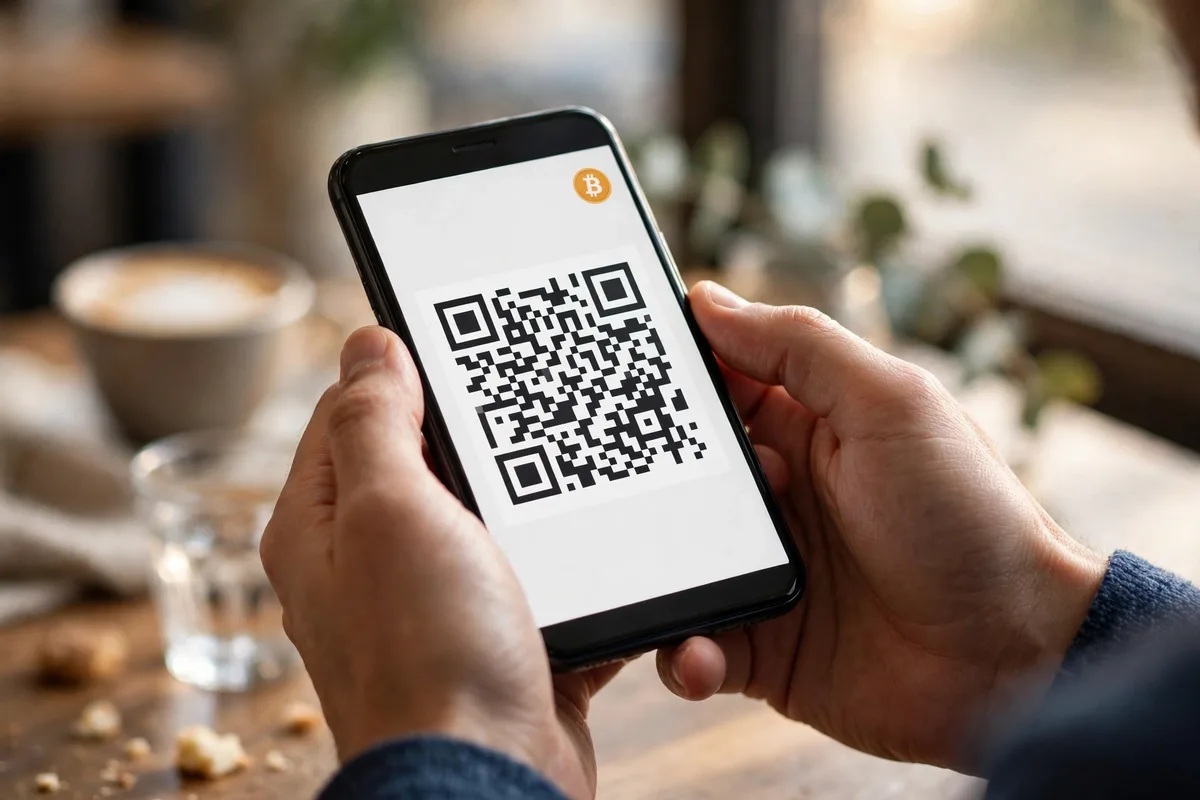
Turn on automatic reminders. Zaprite emails your client before the due date, on the day, and once the invoice goes overdue.
BTCPay Server users can pair it with their normal invoicing app for the same effect. A polite automatic reminder beats an awkward phone call every time.
Offer a small discount for Bitcoin payments. A 2% discount costs you $20 on a $1,000 invoice, and it saves you $30 in card fees while the client feels rewarded.
Zaprite builds this discount into checkout, and many businesses find clients switch to Bitcoin on their own after the first discounted invoice.
For small, repeat payments, Lightning is your friend. A $40 monthly invoice clears in seconds over Lightning, and the fee is pennies.
Our guide to Lightning payments for business compares Square, Lightning Address, and BTCPay Server side by side. If you sell in person as well, read our Bitcoin point of sale guide for the counter setup that pairs with your invoices.
Bookkeeping Basics for Bitcoin Invoices
Good invoicing ends with good records. Treat every Bitcoin payment like any other business income, and record three facts the day it arrives: the dollar value at receipt, the bitcoin amount, and the transaction ID.
The dollar value at receipt is your revenue number. If a client pays 0.01786 BTC when Bitcoin trades at $56,000, you record $1,000 of revenue.
That number stays fixed on your books even if Bitcoin later doubles or halves.
United States businesses follow one clear rule here. The Financial Accounting Standards Board issued ASU 2023-08 in December 2023, and it requires crypto assets to be measured at fair value each reporting period, with changes recognized in net income.
The rule applies to fiscal years beginning after 15 December 2024. In plain words, the bitcoin sitting in your wallet gets revalued on your books at each reporting date, and the gain or loss shows up in your income.
Track each payment as its own lot. When you later sell or spend that bitcoin, your gain or loss depends on the value when you received it versus the value when you spent it.
A simple spreadsheet with columns for invoice number, date, bitcoin received, rate at receipt, dollar value, and transaction ID covers most small businesses. Our guide to small business Bitcoin accounting basics shows the full eight-column layout and how to use it.
Export your records monthly. BTCPay Server has built-in reporting, and Zaprite exports invoices to CSV for your accountant.
Do this on a schedule, not the night before a tax deadline. If you take Bitcoin on your website too, our Squarespace guide and Wix guide show where those sales fit into the same workflow.
Common Mistakes to Avoid
Reusing one address for every client tops the list. It links all your income together on a public ledger, and it makes matching payments to invoices a guessing game.
Generate a fresh address per invoice, every time.
Skipping the expiry window runs a close second. An invoice with no expiry is an open offer at a stale price, and a client who pays a week late can shortchange you by hundreds of dollars.
Set the window, print it on the invoice, and enforce it.
Forgetting the tax record is the quiet expensive one. A payment with no recorded rate at receipt turns into hours of detective work later, or a wrong number on a return.
Write the rate on the invoice when you send it, and the record keeps itself.
Finally, do not copy a freelancer workflow if you run a business. Freelancers bill one client at a time and often live with manual wallets, while a business needs branded invoices, reminders, and reports.
Our freelancer guide to getting paid in Bitcoin shows the solo route, and this guide covers the business version. Pick the one that matches how you actually work.
Frequently Asked Questions
These are the questions business owners ask most before their first Bitcoin invoice. The answers below are short on purpose.
If your question is not here, the tool guides linked above cover the details.
Is it legal to invoice clients in Bitcoin?
Yes, in most countries you can ask clients to pay in Bitcoin. The invoice itself is just a payment request.
Tax treatment varies by country, so check your local rules and talk to your accountant before your first invoice.
Does my client need to own Bitcoin already?
Yes, your client needs bitcoin in a wallet to pay a Bitcoin invoice. If a client only holds dollars, offer fiat checkout next to the Bitcoin option.
Tools like Zaprite and CoinGate show both choices on one page, so nobody gets stuck.
What happens if my client pays after the invoice expires?
The payment either fails or arrives as an overpayment on an expired invoice, depending on your tool. The clean fix is a fresh invoice at the current rate.
Tell the client the new amount, and keep the old invoice marked as expired in your records.
How do I report Bitcoin invoice income on my taxes?
Record the dollar value of the bitcoin on the day you receive it, and keep the transaction ID with the invoice. In the United States, FASB ASU 2023-08 requires crypto holdings to be measured at fair value each reporting period.
Your accountant can confirm how this applies to your business.
Should I offer a discount for paying in Bitcoin?
A small discount of around 2% works well for most businesses. It costs less than card processing fees, and it gives clients a reason to try Bitcoin.
Zaprite lets you set the discount in checkout, and you can test it on a few invoices before making it standard.
What is the cheapest way to invoice clients in Bitcoin?
BTCPay Server is the cheapest serious option. The software is free and open source, it charges no processing fee, and payments go straight to your wallet.
You only pay for hosting and the small on-chain network fee, which the client usually covers.
Sources
- BTCPay Server documentation: invoices
- Zaprite: Bitcoin invoicing features and recurring billing
- FASB: Accounting Standards Update No. 2023-08 on crypto assets (13 December 2023)
Send Your First Bitcoin Invoice Today
You now know how to invoice clients in bitcoin from start to finish. Pick fiat-denominated pricing, set a short expiry window, and send your first invoice with BTCPay Server or Zaprite.
Your client scans a code, you receive the full amount, and your books stay clean.
Start with one friendly client and one small invoice. Learn the flow with $100 before you trust it with $10,000.
Once the first payment settles, add Bitcoin invoicing to your standard terms and let clients choose it at checkout. That is how a small business turns a crypto curiosity into a real payment rail.