


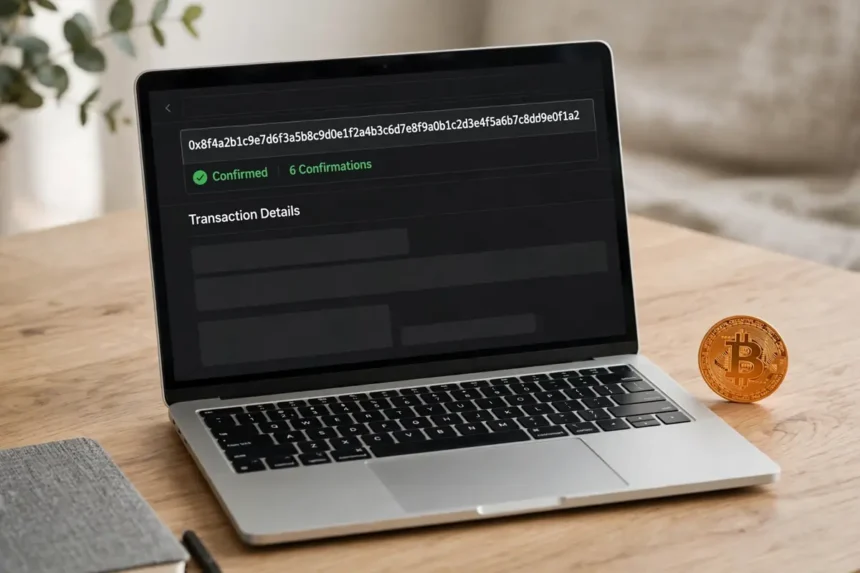
You sent Bitcoin ten minutes ago, the other side says nothing has arrived, and your wallet just says pending. Do not panic, and do not send it again. You can check the real status yourself in about a minute, for free, with no account and no help from support.
Here is the short answer. Copy the transaction ID, called the TXID, from your wallet. Paste it into mempool.space. If the page shows 0 confirmations, the payment is still waiting in the mempool. If it shows 1 or more confirmations, a miner has put it in a block and the network has accepted it. That one number answers most of the worry.

My honest view is that learning how to check bitcoin transaction confirmed status is the first skill every Bitcoin owner should pick up. It takes the power away from screenshots and promises. The blockchain shows you the truth, and this guide shows you how to read it.
- The 1 minute check: how to check bitcoin transaction confirmed status
- Step 1: copy the TXID from your wallet
- Step 2: paste it into a block explorer
- Step 3: read the confirmation count
- What 0, 1, 3 and 6 confirmations really mean
- 0 confirmations: broadcast, but not mined yet
- 1 confirmation: in a block, good for small payments
- 3 and 6 confirmations: the standards for bigger money
- Confirmed on the explorer, but your balance has not moved
- Still 0 confirmations after hours? What to do next
- Option 1: wait it out
- Option 2: bump the fee with RBF, if your wallet allows it
- Option 3: spend the change with CPFP
- Mistakes that make a simple check go wrong
- Trusting a screenshot instead of the explorer
- Checking the wrong address or the wrong network
- Sending again before the first payment resolves
- FAQs
- Conclusion
- Paste your TXID into mempool.space or Blockstream to see the live status of any payment.
- Zero confirmations means the payment is in the mempool, not lost and not failed.
- One confirmation means the payment is in a block. Six confirmations, about one hour, is the standard for large amounts.
- If the explorer shows the right address and amount with 1 or more confirmations, the delay is on the wallet or exchange side, not the network side.
- Never pay a stranger who offers to release or confirm your transaction for a fee. Nobody can do that.
The 1 minute check: how to check bitcoin transaction confirmed status
The whole check has three steps. You need only one thing before you start, the TXID. That is the long string of letters and numbers your wallet shows on the transaction details screen. On an exchange, open the withdrawal history and tap the payment to find it.
If you sent the money, your wallet already has the TXID. If someone sent money to you, ask them for it. A sender who cannot share a TXID has usually not sent anything yet, whatever their screenshot says.
Step 1: copy the TXID from your wallet
Open the transaction in your wallet and look for a field called transaction ID, txid, or hash. Copy it exactly. It is 64 characters long, and one wrong character will send you to the wrong page or to no page at all.
No TXID in your wallet history usually means the payment was never broadcast. On an exchange, it often means the withdrawal is still in the platform queue and has not reached the blockchain yet. That wait is theirs, not the network.

Step 2: paste it into a block explorer
Go to a public explorer such as mempool.space or Blockstream and paste the TXID into the search box. These sites only read public data. They cannot move, stop, or speed up your coins, and you should never type a seed phrase into any of them.
If the explorer finds nothing, double check the characters first. Still nothing after a careful retry means the transaction is not on the network yet. Go back to the sender or the exchange, because the problem sits with them.
Step 3: read the confirmation count
The status line is the part that matters. Unconfirmed, or 0 confirmations, means miners have not picked the payment up yet. Confirmed with a number means that many blocks have been built on top of the block that holds your payment.
While you are on that page, check two more fields. Confirm the receiving address matches the one you expected, character for character at the start and end. Then confirm the amount. Our fuller walkthrough on how to track a Bitcoin transaction on the blockchain explains every other field on that screen, from inputs and outputs to the fee rate.
What 0, 1, 3 and 6 confirmations really mean
A confirmation is simply one block that includes your transaction, plus each new block added after it. Bitcoin adds a block about every 10 minutes on average, though the real gap can be 2 minutes or 40. That is why nobody can promise you an exact minute.
Think of each confirmation as another lock on the door. With zero locks, the payment can still be replaced or dropped. With each new lock, changing it gets harder and more expensive, until reversal is not practical for anyone.

0 confirmations: broadcast, but not mined yet
Your wallet has announced the payment, and nodes are holding it in the mempool, the waiting room for pending transactions. Nothing is wrong at this stage. Most payments sit here for a few minutes.
Do not treat a 0 confirmation payment as final if someone is paying you. It can still be replaced by a higher fee version in some wallets, a feature called replace by fee, or RBF. Wait for at least one confirmation before you hand over goods.
1 confirmation: in a block, good for small payments
One confirmation means a miner included the payment in a block. For a coffee, a small transfer between your own wallets, or a payment to a person you trust, most people accept this as done.
The wait for this first confirmation is the longest feeling one, because it depends on your fee and on luck. A fair fee in a calm network often confirms in about 10 to 30 minutes.
3 and 6 confirmations: the standards for bigger money
Many exchanges credit deposits after 2 to 3 confirmations, and each platform sets its own rule. Six confirmations, roughly one hour, is the long used standard for large payments, because reversing a payment buried under six blocks would need enormous computing power.
There is nothing magic about six. It is a risk choice. The bigger the amount, and the less you know the other side, the more confirmations are worth waiting for.
Confirmed on the explorer, but your balance has not moved
This case confuses people the most, so let me be direct. If the explorer shows your address, the right amount, and 1 or more confirmations, the Bitcoin network has done its job. The coins are at that address.
Any delay after that point belongs to the receiving wallet or exchange. Apps can be slow to refresh, and exchanges wait for their own confirmation count before they credit an account. Give it a little time, restart the app, and then contact support with the TXID ready.

The address was a Lightning address, not an on chain one
One special case trips up beginners. If you paid a Lightning invoice, the payment does not appear as a normal on chain transaction at all. Our guide to the best Bitcoin Lightning wallet for beginners explains how those instant off chain payments work, and why an explorer search can look empty even when the payment went through.
Always check which network a payment used before you search for it. A TXID from Bitcoin mainnet will not show up on a testnet explorer, and a Lightning payment has no TXID to paste.
Still 0 confirmations after hours? What to do next
Sometimes a payment really is stuck. The usual reason is a fee that was fine when you sent it, then too low once the mempool filled up. Miners pick higher paying transactions first, because block space is limited.
Start by checking the fee rate on the explorer page and compare it with the rates the explorer shows for the next blocks. If yours is far below, you have found your problem. Then work through the options below in order.
Option 1: wait it out
Waiting is free and often works. Mempools usually clear during quieter hours and weekends. By default, many Bitcoin Core nodes drop a transaction from their mempool after about 14 days, after which the sender wallet can usually send those coins again.
If the amount is small and there is no deadline, waiting is honestly the smartest move. Panic actions cost fees.
Option 2: bump the fee with RBF, if your wallet allows it
If the original transaction was marked as replaceable, the sender can create a new version of the same payment with a higher fee. Wallets that support this show a bump fee or speed up button on the pending transaction.
Only the sender can do this, and only before the first confirmation lands. Once a transaction has 1 confirmation, it cannot be replaced or cancelled.
Option 3: spend the change with CPFP
Child pays for parent, or CPFP, is the receiver side trick. If you received a stuck payment and your wallet lets you spend it while unconfirmed, you can send those coins to yourself with a high fee. Miners then take both transactions together to collect that fee.
This is a power user move. If the terms are new to you, wait or ask your wallet support first. And remember that running your own node, as our guide on how to run a Bitcoin node at home shows, lets you see your mempool view with your own eyes instead of trusting a website.
Mistakes that make a simple check go wrong
Most failed checks are small slips, not lost money. The same few errors show up again and again, and each one takes seconds to avoid.
Read this list before you assume the worst. One of these explains almost every scare I have seen.
Trusting a screenshot instead of the explorer
Screenshots are easy to fake, and fake payment screenshots are a common scam. The explorer is the receipt. If a buyer will not share a TXID, treat the payment as not sent.
The same habit protects your savings later. Checking things yourself, on chain, is the same mindset behind storing Bitcoin offline for the long term instead of trusting an app balance.
Checking the wrong address or the wrong network
A long address invites lazy reading. Compare the first six and last six characters at least. A payment sent to a different address can be confirmed and still never arrive in your wallet, because it was never yours.
Also confirm you are on a mainnet explorer. A testnet page will happily tell you a real TXID does not exist.
Sending again before the first payment resolves
Paying twice to fix a slow payment is the costliest mistake on this list. A pending transaction is still alive. Check first, wait, and only act on what the explorer shows.
If you are still learning the basics of sending and receiving, our step by step guide on how to buy Bitcoin with Cash App covers the wallet screens most beginners start with. And if you wonder why blocks and fees behave this way at all, the Bitcoin halving 2028 explainer covers the mining rewards behind it.
FAQs
Q: How do I know if my Bitcoin transaction is confirmed?
A: Paste your TXID into mempool.space and read the status line. If it shows 1 or more confirmations, your transaction is confirmed. If it shows 0 confirmations, it is still waiting in the mempool.
Q: How long does the first confirmation usually take?
A: With a fair fee, the first confirmation often arrives in about 10 to 30 minutes. Bitcoin adds a block about every 10 minutes on average, but low fees and a busy network can stretch the wait to hours.
Q: How many confirmations do I need before I can spend the Bitcoin?
A: Your own wallet usually lets you spend after 1 confirmation. Many exchanges wait for 2 to 3 confirmations before crediting a deposit, and 6 confirmations is the common standard for large payments.
Q: Can a confirmed Bitcoin transaction be reversed?
A: No. Once a transaction has confirmations, it cannot be reversed, cancelled, or charged back. Only an unconfirmed transaction can sometimes be replaced by its sender with a higher fee version.
Q: What if my TXID shows nothing on the explorer?
A: Check the TXID characters first, then check that you are on a mainnet explorer. If it still shows nothing, the payment was likely never broadcast, so ask the sender or the exchange for a valid TXID.
Conclusion
So, how to check bitcoin transaction confirmed status without stress? Copy the TXID, paste it into an explorer, and read one number. Zero means waiting, one means it is in a block, and six means you can stop thinking about it.
Make this a habit for every payment, large or small. Next time a wallet says pending, skip the worry, do the 1 minute check, and let the blockchain give you the answer.