


If you want to learn how to buy bitcoin with maya, start with one fact. You can buy inside the Maya app itself, or you can use your Maya balance to fund a separate exchange or a peer to peer trade.
The first route is the easiest first purchase. The second route is the one that lets you hold Bitcoin in your own wallet.

This guide compares both routes side by side, so you can pick the right one before you send any pesos. It covers the steps, the fees, the limits, and the custody catch that most Maya guides skip.
- What Maya Crypto actually is
- The three routes, compared honestly
- Route 1: Buy Bitcoin inside the Maya app
- Route 2: Fund Coins.ph or PDAX with your Maya balance
- Route 3: Buy Bitcoin peer to peer and pay with Maya
- Fees, limits, and timing at a glance
- The custody catch: what Maya restored, and what it did not confirm
- How to move Bitcoin to your own wallet afterwards
- Common mistakes with Maya and Bitcoin
- Is Maya the best way for you to buy Bitcoin?
- Frequently Asked Questions
- Can I buy Bitcoin with Maya?
- What is the minimum amount to buy Bitcoin on Maya?
- Does Maya charge a fee for buying Bitcoin?
- Can I send Bitcoin from Maya to my own wallet?
- Is Maya Crypto safe and legal in the Philippines?
- Which is cheaper, Maya in-app Crypto, Coins.ph, or PDAX?
- Conclusion
- Sources
It also shows how to move Bitcoin to your own wallet when the route you choose allows it.
Key takeaways
- Buy inside Maya from as little as ₱1 worth of crypto, with no separate transaction fee shown, but the cost sits inside the price you see.
- Maya restored inbound crypto deposits in October 2026, yet its help page still describes receiving, not sending Bitcoin out to your own wallet.
- If self-custody matters to you, buy on Coins.ph, PDAX, or a peer to peer platform funded with Maya, then withdraw to your own wallet.
- Check the quoted price against a market price before you confirm, and always send a small test amount first when you move Bitcoin.
What Maya Crypto actually is
Maya Crypto is not a separate app. It is a feature inside the Maya app, run by a company licensed by the Bangko Sentral ng Pilipinas as a Virtual Asset Service Provider.
You buy, hold, and sell crypto with pesos from your Maya wallet, in the same place where you pay bills and send money.
Maya launched this feature in April 2022, with Coinbase Institutional behind the trading setup. It now lists more than 30 coins, including Bitcoin, Ether, Solana, and Tether.

Bitcoin is the coin most beginners start with, and it is the focus of this guide.
Who this route suits best
Maya suits a beginner who already keeps pesos in Maya and wants a small first position without opening a new exchange account. You do not need a bank account to start, and you do not need to learn order books on day one.
Maya does not suit a buyer who wants full control of their coins from the start. That buyer needs a route that supports withdrawals to an external wallet, and that changes the recommendation completely.
The three routes, compared honestly
Most guides list Maya as one option and stop there. That hides the real choice.
The table below compares the three practical routes on the five points that change your outcome: control, cost visibility, limits, speed, and exit.
| Route | You control the coins? | Cost you can see | Best for |
|---|---|---|---|
| 1. Maya in-app Crypto | No, coins stay in Maya | No separate fee shown, spread inside the price | A first, small purchase |
| 2. Coins.ph or PDAX funded with Maya | Yes, after you withdraw | Published trading fees on Coins Pro and PDAX | Regular buyers who want withdrawals |
| 3. Peer to peer funded with Maya | Yes, after release from escrow | The seller’s rate, plus any transfer fee | Buyers who want a specific payment method |
Read that table as a decision tool, not as a ranking. Route 1 wins on simplicity.
Routes 2 and 3 win on control. Your goal decides the winner, and you should decide the goal before you tap Buy.
Route 1: Buy Bitcoin inside the Maya app
Start here if you want the simplest possible purchase. Open the Maya app, tap Crypto on your wallet dashboard, then tap Buy or Sell.
Select Bitcoin, enter the peso amount you want to spend, and confirm the trade.
Maya states the minimum at ₱1 worth of crypto, and its help page repeats that figure for funding a crypto wallet. Older Maya blog posts mention ₱50 as a starting point, but the current help page figure is ₱1, so treat ₱1 as the live minimum and check the app if your screen shows a different floor.
What you must check before you confirm
Maya says it charges no transaction fee on the buy itself. That does not mean the buy costs nothing.
The price Maya shows you can sit above the market price, and that gap is the spread. Compare the amount of Bitcoin Maya offers for your pesos against a live market price in the same minute.
Also confirm your Maya account is upgraded with ID verification before you try a larger purchase. Maya support states a ₱100,000 purchase limit for Buy Crypto for verified users, with no stated cap on selling.
Your wider Maya wallet limits still apply, so a monthly wallet cap can block a trade even when the crypto limit has room.
Route 2: Fund Coins.ph or PDAX with your Maya balance
This route takes one extra step, and it buys you real control. You move pesos from Maya to a licensed exchange, buy Bitcoin there, and then withdraw it to a wallet you control.
Coins.ph and PDAX both hold BSP Virtual Asset Service Provider licences, and both accept peso funding through local rails.
Coins.ph gives you two ways to buy. The one-tap Convert screen shows no fee, because its margin sits inside the quoted rate, just like Maya.
Coins Pro shows a real order book, with maker fees of 0.10 percent and taker fees of 0.15 percent at the entry tier. PDAX also runs an order book, with fees of 0.40 percent for makers and 0.50 percent for takers.
How the Maya funding step works
Send pesos from Maya to the exchange with InstaPay or PESONet, using the deposit details the exchange shows you. InstaPay usually lands in minutes, while PESONet settles in batches on banking days.
Maya charges ₱10 per InstaPay transfer to other banks under the July 2026 pricing update, while Maya to Maya transfers and PESONet transfers from Maya remain free.
Match the name on the sending account to the name on the exchange account. A mismatch can delay or bounce the deposit, and support will ask you to prove the funds came from you.
Keep the transfer receipt until the Bitcoin shows in your exchange balance.
Route 3: Buy Bitcoin peer to peer and pay with Maya
Peer to peer platforms match you with a seller, hold the seller’s Bitcoin in escrow, and release it only after the seller confirms your payment. Binance P2P and similar marketplaces list Maya as an accepted payment method for peso trades, alongside GCash and bank transfer.
This route suits you when you want to pay directly from Maya but still end up with coins you can withdraw.
The price is the seller’s rate, not a single market price. Compare three or four sellers before you pick one, and read the seller’s completion rate and review history.
A seller with a high completion rate and a long history costs a little more sometimes, and that premium buys you a smoother trade.
Peer to peer safety rules that are not optional
Never release payment outside escrow, and never pay a third party the seller names in chat. Trade only inside the platform, so the escrow record protects you if the seller disputes the payment.
Send the exact amount from your own Maya account, and write the order number exactly as the platform instructs.
Never mark a trade as paid before you actually send the money. A false paid flag can freeze your account and hand the seller a dispute you cannot easily win.
If a seller pressures you to move to WhatsApp or Telegram, cancel the trade and report the account.
Fees, limits, and timing at a glance
The table below pulls the verified figures from this guide into one place. Use it to estimate your total cost, and recheck the app screens before a large purchase, because exchanges change fee pages without warning.
| Item | Figure | What it means for you |
|---|---|---|
| Maya in-app minimum | ₱1 worth | You can test with loose change |
| Maya in-app buy limit, verified users | ₱100,000 per purchase | Split larger buys across purchases |
| Maya in-app fee line | No transaction fee shown | Cost hides inside the spread, so compare prices |
| Maya InstaPay to other banks | ₱10 per transfer | Batch small deposits when you can |
| Coins Pro trading fee | 0.10% maker, 0.15% taker | Cheapest published peso route here |
| PDAX trading fee | 0.40% maker, 0.50% taker | You pay more for a full order book |
| InstaPay speed | Minutes, up to ₱50,000 per transfer | Split a large deposit into several transfers |
Timing also depends on the route you pick. An in-app Maya buy settles inside the app at once.
An exchange deposit by InstaPay usually clears in minutes, while a peer to peer trade clears when the seller confirms your payment and releases escrow. Network confirmations only enter the picture when you withdraw Bitcoin on-chain.
The custody catch: what Maya restored, and what it did not confirm
This section is the reason this guide exists, because older Maya guides get it wrong in both directions. In October 2026, Maya restored inbound crypto deposits, so verified users can again move supported tokens into Maya from exchanges such as Coins.ph, PDAX, and Coinbase.
Maya’s own help page now walks you through generating a receive address and QR code, and it warns you to pick the correct network.
That restoration covers deposits into Maya. It does not, on the evidence available on 1 November 2026, confirm that you can send Bitcoin bought inside Maya out to a wallet you control.
Maya’s help page answers the send and receive question with receive steps only, and earlier reporting described send and receive as unavailable while buy and sell stayed live. Do not buy inside Maya on the assumption that a withdrawal button will appear later.
The practical rule follows from that gap. Treat Maya in-app Bitcoin as a peso investment position, not as coins you own on-chain.
You can sell it back to pesos inside Maya. You cannot yet count on moving it to cold storage.
If cold storage is your goal, start on Route 2 or Route 3 instead.
How to move Bitcoin to your own wallet afterwards
This section applies to Routes 2 and 3, where withdrawals work. First, set up a wallet you control, such as a reputable mobile wallet or a hardware wallet, and write down the recovery phrase on paper.
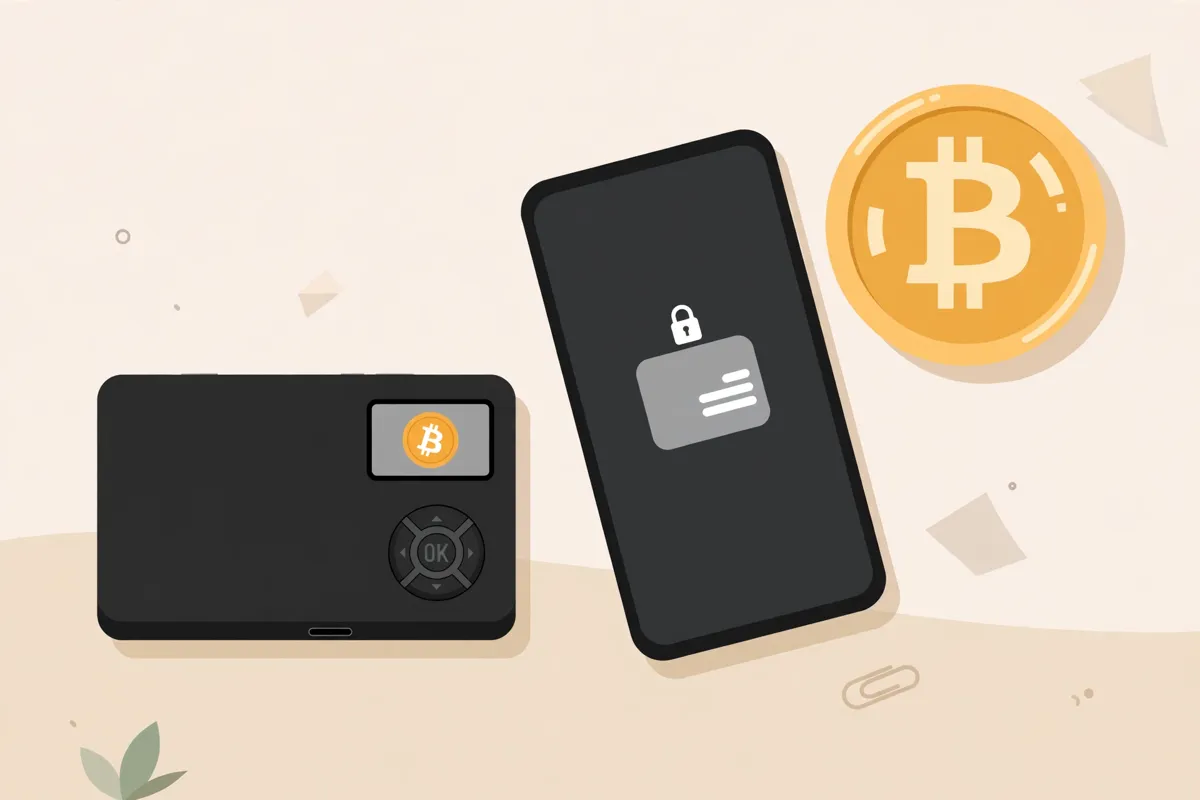
Store that paper somewhere safe, and never photograph it or store it in a cloud note.
Next, copy your wallet’s Bitcoin receive address from the wallet app itself, never from a chat message or a screenshot someone sent you. Paste it into the exchange withdrawal screen, pick the Bitcoin network, and check the first four and last four characters of the address before you confirm.
A wrong network can lose the coins for good.
The test send habit
Send a small test amount first, even when the fee annoys you. Wait until the test amount lands in your wallet, then send the rest in a second withdrawal.
This habit catches a pasted wrong address, a wrong network choice, and a wallet that is not set up the way you thought.
For larger amounts, a hardware wallet beats a phone wallet, because the private keys stay offline. Learn how to store Bitcoin safely before you move a sum you cannot afford to lose, and keep a copy of the withdrawal record for your own tax notes.
Common mistakes with Maya and Bitcoin
The first mistake is confusing a low minimum with a low cost. A ₱1 minimum lets you start, but a wide spread on a small trade eats a bigger share of your money.
Compare the quoted price every time, even on a test buy.
The second mistake is buying inside Maya, then discovering the custody limit after the fact. Decide your exit before your entry.
If you want coins in your own wallet, do not start inside Maya and hope the rules change.
The third mistake is sending Bitcoin to the wrong network. Maya’s receive page warns about this for a reason.
Bitcoin sent on the wrong network may never arrive, and support cannot always recover it. Slow down on the network screen, every single time.
The fourth mistake is trusting a peer to peer seller outside escrow. Escrow exists because strangers trade with strangers.
Any seller who asks you to skip it is telling you exactly how the trade will end.
Is Maya the best way for you to buy Bitcoin?
Maya wins if you already live inside the Maya app, you want a small first purchase, and you accept holding the position inside Maya until you sell it back to pesos. It loses if you want the lowest published fee, a full order book, or coins in your own wallet on day one.
For a fuller picture of the local market, read our guide to buying Bitcoin in the Philippines, which covers the licensed exchanges and the rules that apply to all of them. If you also use GCash, compare this guide with our guide to buying Bitcoin with GCash, since GCrypto runs on PDAX rails and shares a similar custody trade-off.
To compare every payment route in one place, use our payment methods hub. It links the country guides, including our country guides hub, and the other wallet payment guides such as buying Bitcoin with Google Pay.
Frequently Asked Questions
These answers cover how to buy bitcoin with maya, the fees, the limits, and the custody question. Read the custody answer before you choose a route.
Can I buy Bitcoin with Maya?
Yes. You can buy Bitcoin inside the Maya app from ₱1 worth, or you can use your Maya balance to fund Coins.ph, PDAX, or a peer to peer trade.
The in-app route keeps the coins inside Maya, while the exchange and peer to peer routes let you withdraw to your own wallet.
What is the minimum amount to buy Bitcoin on Maya?
Maya’s current help page states a minimum of ₱1 worth of crypto. Older Maya blog posts mention ₱50, so check the amount field in your app before a first trade, and start with a small test purchase.
Does Maya charge a fee for buying Bitcoin?
Maya states no transaction fee on the buy itself, but the cost sits inside the quoted price as a spread. Compare the Bitcoin amount Maya offers against a live market price before you confirm, because the spread is the real fee.
Can I send Bitcoin from Maya to my own wallet?
Maya restored inbound crypto deposits in October 2026, but its help page on 1 November 2026 describes receiving only, and it does not confirm outbound sends to an external wallet. Treat in-app Bitcoin as a position you sell back to pesos, and use an exchange or peer to peer route if you want self-custody.
Is Maya Crypto safe and legal in the Philippines?
Yes, Maya operates as a BSP licensed Virtual Asset Service Provider, and crypto trading is legal in the Philippines under BSP rules. Safety still depends on you: use a strong passcode, turn on biometric login, and never share a one-time code with anyone.
Which is cheaper, Maya in-app Crypto, Coins.ph, or PDAX?
Coins Pro usually wins on published fees at 0.10 percent maker and 0.15 percent taker, while PDAX charges 0.40 percent and 0.50 percent. Maya in-app Crypto shows no fee, so you must compare its quoted price against those order book prices to judge the true cost.
Conclusion
Buying Bitcoin with Maya is easy, and that ease is both the appeal and the trap. The in-app route gets you started in minutes, but it does not hand you coins you control.
The exchange and peer to peer routes take a little longer, and they give you the withdrawal option that makes Bitcoin yours in the full sense.
Pick your route by your goal, compare the quoted price before you confirm, and send a test amount before any large move. That sequence keeps a beginner purchase simple without locking a serious holding inside an app that may not let it out.