


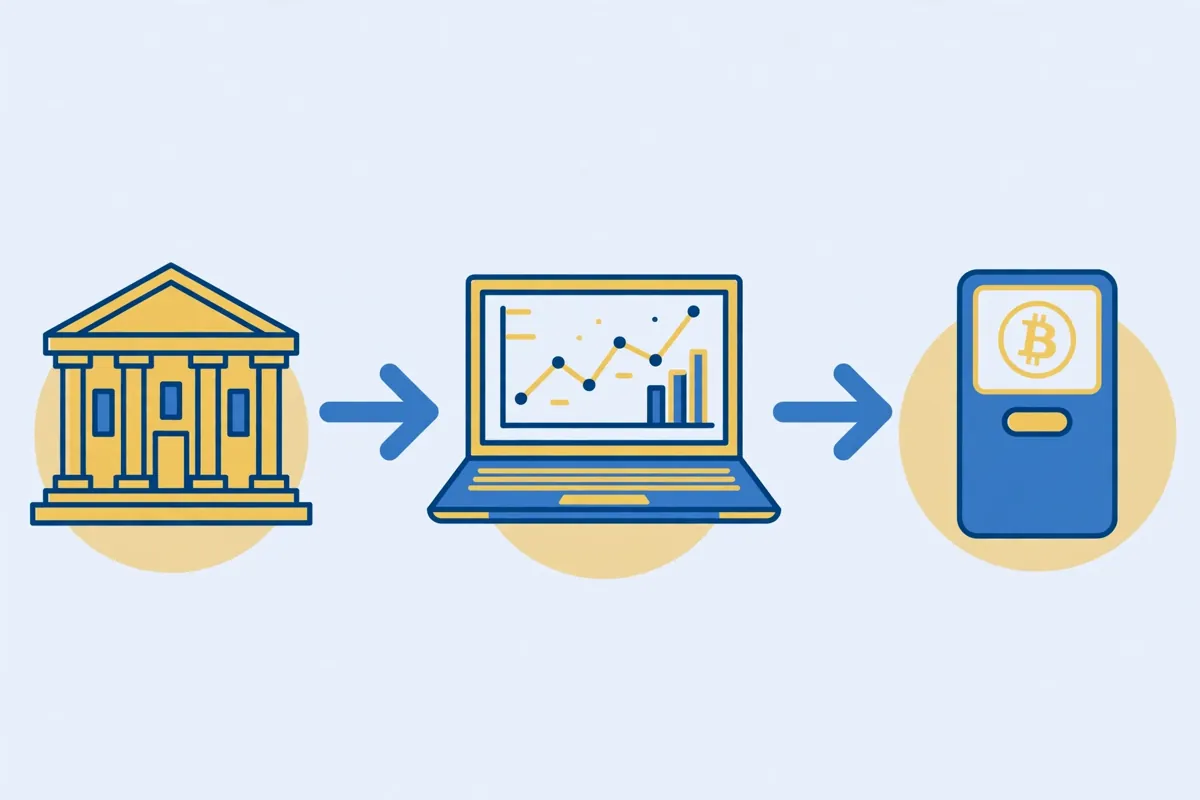
You can buy Bitcoin with a SEPA transfer by sending euros from your European bank account to a regulated crypto exchange, then using that euro balance to buy Bitcoin. You do not need a card, and you usually pay far less than a card purchase costs.
The cheapest route for most beginners is simple. Deposit euros by SEPA, buy on the exchange order book instead of the one click buy button, then move the Bitcoin to a wallet you control.

If you prefer an e-wallet, see our guide to buying Bitcoin with Skrill.
- Key takeaways
- What a SEPA transfer actually is
- The route and cost comparison most guides blur
- Bank instant caps: the number that actually limits you
- The step-by-step route, in order
- Step 1: Get the exact deposit details
- Step 2: Send a small test transfer
- Step 3: Wait for the credit, then check the balance
- Step 4: Place the buy order on the order book
- Step 5: Confirm the Bitcoin balance
- Step 6: Withdraw to your own wallet for larger amounts
- Why banks sometimes hold or return a transfer
- The Verification of Payee check, before you send
- SEPA fees, in plain terms
- SEPA compared with the routes beginners ask about
- How the exchanges differ on SEPA
- Common SEPA mistakes, and the fix for each
- Frequently asked questions
- How long does it take to buy Bitcoin with SEPA?
- Is buying Bitcoin with SEPA safe?
- What is the minimum amount I can send by SEPA?
- Can I use SEPA Instant for a large Bitcoin purchase?
- Do I need a European bank account to use SEPA?
- Bottom line
- Sources
Key takeaways
- Standard SEPA usually lands by the next business day, while SEPA Instant can land in seconds.
- Kraken lists free SEPA deposits from 1 euro, and 21bitcoin lists free SEPA Instant deposits up to 100,000 euro.
- Your bank sets the real instant cap, so check your app before you send a large amount.
- Since 9 October 2025, euro area banks must run the Verification of Payee name check on euro transfers.
- Always send a small test transfer first, and move larger holdings to your own wallet.
What a SEPA transfer actually is
SEPA stands for Single Euro Payments Area. It is a shared set of rules that lets banks move euros across Europe as easily as a local payment.
You need only two details to send one. You need the recipient IBAN, and you need the account name exactly as the exchange shows it.
Standard SEPA
A standard SEPA credit transfer usually arrives by the end of the next business day. It suits a planned purchase, and it suits a larger amount that exceeds your instant cap.
Many exchanges charge no fee for a standard SEPA deposit. Your bank may still charge its own transfer fee, so check that fee before you send.

SEPA Instant
SEPA Instant, also called SCT Inst, moves euros in about ten seconds, day and night, including weekends. Both banks must support instant payments for the fast rail to work.
EU rules now stop banks from charging more for an instant transfer than for a standard one. The old scheme cap of 100,000 euro no longer applies, so your bank limit now decides the maximum.
The route and cost comparison most guides blur
Most guides list exchanges and stop there. They rarely show how the route, the bank cap, and the buy screen change the final cost together.
This section fixes that gap. It compares the deposit rail, the exchange, and the way you place the buy order, because all three shape what you actually receive.
| Route | Deposit fee | Typical speed | Watch out for |
|---|---|---|---|
| Kraken, SEPA or SEPA Instant | Free, from 1 euro | Instant to 3 business days, by provider | Instant Buy costs 1 percent plus a spread, while Kraken Pro starts at 0.40 percent maker and 0.80 percent taker |
| Coinbase, SEPA | No Coinbase fee on retail help pages, 0.15 euro on the Exchange schedule | 1 to 3 business days | The simple buy screen costs more than the Advanced order book |
| 21bitcoin, SEPA Instant | Free, up to 100,000 euro | About 60 seconds | Direct purchase service fees run 1.29 to 1.49 percent, so read the preview |
Read the preview screen on every route. The preview shows the fee, the rate, and the Bitcoin amount before you confirm, and that preview beats any fee table.
Bank instant caps: the number that actually limits you
Banks set their own instant limits for safety, and those limits differ a lot. A transfer above your cap will not travel on the instant rail, even if the exchange accepts a larger deposit.
| Bank | Instant cap to check | Standard route note |
|---|---|---|
| Intesa Sanpaolo | 15,000 euro per instant payment, within a 30,000 euro daily limit | An app change to the instant cap can take up to 12 hours |
| UniCredit | 15,000 euro per instant payment for retail accounts | Standard online transfers can run far higher, around 50,000 euro |
| Your own bank | Check the limit in your app before you send | Use standard SEPA for any amount above the instant cap |
The step-by-step route, in order
Follow these steps in order, and check the name and reference at each step.
Step 1: Get the exact deposit details
Start on the exchange, not in your bank app. Open the deposit screen, choose euro, and choose SEPA. Copy the IBAN, the account name, and the reference exactly as the exchange shows them.
Step 2: Send a small test transfer
Send a small test transfer first, and send it on a weekday morning. Check that the full amount lands, and that the name matches the account. Only then send the main amount.
Step 3: Wait for the credit, then check the balance
Wait for the exchange to credit the euros to your account. Check the balance before you place an order, because a buy order placed too early will fail or will use a different balance.
Step 4: Place the buy order on the order book
Choose Bitcoin, enter the euro amount, and read the preview. If you use an advanced trading screen, you can often pay a lower fee than on a simple buy screen.
Step 5: Confirm the Bitcoin balance
Confirm that the Bitcoin appears in your exchange account after the order fills. Check the amount, not just the euro value, because the price moves while the order is processed.
Step 6: Withdraw to your own wallet for larger amounts
For larger amounts, withdraw the Bitcoin to a wallet you control. Copy the wallet address carefully, send a small test withdrawal first, and only then move the main amount.
Why banks sometimes hold or return a transfer
A bank can hold or return a SEPA transfer for a simple reason, not because Bitcoin is involved. The most common reasons are a name mismatch, a wrong reference, or a transfer from an account that is not in your name.
- A name that does not match the account holder, which triggers a warning or a return.
- A missing or wrong reference, which means the exchange cannot match the deposit to your account.
- A transfer from a joint account or a third party account, which some exchanges reject.
- A first transfer that is larger than your usual pattern, which can trigger a fraud check.
The Verification of Payee check, before you send
Verification of Payee is a name check that runs before a transfer is sent. Your bank compares the name you entered with the name on the receiving account, and it warns you if the names do not match.
If you see a close match warning, stop and recheck the details. If you see a no match warning, do not send the transfer until you have confirmed the exact account name with the exchange.
SEPA fees, in plain terms
Deposit fees are the cheapest part of a SEPA buy. The larger costs are the buy fee, the spread, and the withdrawal fee, and they vary by exchange and by the screen you use to buy.
- Deposit: often free on Kraken and 21bitcoin, and no Coinbase fee on retail help pages.
- Buy: a fee on the order, or a spread built into the price, depending on the exchange.
- Spread: the gap between the buy price and the sell price, which is often larger on simple buy screens.
- Withdraw: a network fee when you move Bitcoin to your own wallet.
Compare the full cost for your amount, not just the deposit fee. A free deposit with a wide spread can cost more than a small deposit fee with a tight spread.
SEPA compared with the routes beginners ask about
SEPA is the cheapest route for planned buys, but it is not the fastest. The table below puts it next to the routes beginners usually ask about, so you can choose by speed and cost, not by habit.
| Route | Speed | Typical cost | Best for |
|---|---|---|---|
| SEPA | Next business day | Deposit often free, but the buy spread or fee still applies | Best for larger, planned buys |
| SEPA Instant | About ten seconds | Same price as standard SEPA under EU rules, but bank caps apply | Best for small, time sensitive buys |
| Card | Minutes | Higher fees than SEPA, often several percent | Best only for a small, urgent buy |
| PayPal | Minutes to a day | Fees vary, and some exchanges do not accept it | Best only if you already hold a PayPal balance |
Use SEPA for planned buys, SEPA Instant for small and urgent buys, and a card only when speed matters more than cost.
How the exchanges differ on SEPA
The three exchanges below all accept SEPA, but they differ on speed, fees, and who they suit. Choose by the amount you plan to send, and by whether you want a simple buy screen or an advanced trading screen.
Kraken
Kraken accepts SEPA deposits at no deposit fee, and it supports both standard and instant rails, depending on your bank. The deposit can arrive instantly if both banks support the instant rail, or in one business day on the standard rail.
Kraken suits larger, planned buys, because the advanced trading screen usually gives a lower fee than a simple buy screen. Check the withdrawal fee before you move Bitcoin off the exchange.
Coinbase
Coinbase accepts SEPA deposits at no deposit fee on retail help pages, and standard SEPA usually takes one to three business days. The buy fee is higher on the simple buy screen than on the advanced trading screen, so check both screens before you confirm.
Coinbase suits beginners who want a simple interface, and who are willing to wait for a standard transfer. If you need speed, check whether your bank supports the instant rail before you rely on it.
21bitcoin
21bitcoin is a European exchange that only supports SEPA Instant, and it charges no deposit fee for a SEPA Instant deposit up to 100,000 euro. Standard SEPA is not offered, and the exchange is built for regular, planned buys.
21bitcoin suits European buyers who want a simple SEPA Instant route, and who do not need card payments. Check whether your bank supports the instant rail, because the exchange does not offer other deposit methods.
Common SEPA mistakes, and the fix for each
Most SEPA problems are small errors in the deposit details, not problems with the transfer system. The table below lists the mistakes beginners make most often, and the fix for each one.
| Mistake | What happens | Fix |
|---|---|---|
| Wrong account name | The bank warns you, or the transfer is returned | Copy the exact account name from the exchange deposit screen |
| Wrong reference | The exchange cannot match the deposit to your account | Copy the reference exactly, including any numbers or letters |
| Card fee comparison | You compare only the deposit fee, and miss the spread | Compare the full cost, including the buy fee and the spread |
| Sending from a third party account | The exchange rejects the deposit | Send only from a bank account in your own name |
| Waiting until Friday afternoon | A standard transfer does not arrive until the next week | Send on a weekday morning, or use SEPA Instant if your bank supports it |
Most SEPA errors are fixed by copying the details exactly, and by sending a small test transfer first.
Frequently asked questions
How long does it take to buy Bitcoin with SEPA?
A standard SEPA transfer usually arrives by the end of the next business day. A SEPA Instant transfer arrives in about ten seconds, if both banks support the instant rail.
Is buying Bitcoin with SEPA safe?
Yes, SEPA is safe when you use a regulated exchange and a bank account in your own name. Use the Verification of Payee check, send a small test transfer first, and move larger holdings to a wallet you control.
What is the minimum amount I can send by SEPA?
The minimum depends on the exchange, and Kraken lists free SEPA deposits from 1 euro. Check the minimum on the deposit screen before you send, because a transfer below that minimum may be held or returned.
Can I use SEPA Instant for a large Bitcoin purchase?
You can use SEPA Instant only up to your bank cap, which is often 15,000 euro per instant payment. For larger amounts, use standard SEPA, or split the deposit across several days if your bank allows it.
Do I need a European bank account to use SEPA?
Yes, you need a bank account in the SEPA area to send a SEPA transfer. The account must be in your own name, because exchanges reject deposits from third party accounts.
Bottom line
SEPA is the cheapest route for planned Bitcoin buys, and SEPA Instant is the fastest route for small, urgent buys. Check your bank cap, copy the exact account name and reference, run the Verification of Payee check, and send a small test transfer first. If you want to compare other routes, read our guides to buying Bitcoin with PayID, buying Bitcoin with Interac e-Transfer, guides to buying Bitcoin with Google Pay, and buying Bitcoin with Apple Pay, or visit our complete payment methods hub. If you are in Brazil, also read our guide to buying Bitcoin with Pix. If you prefer a debit card instead, see how to buy Bitcoin with Wise.