


Yes, you can buy Bitcoin with Google Pay. You pick an exchange that accepts it, tap the Google Pay button at checkout, confirm with your fingerprint or PIN, and the Bitcoin lands in your exchange account within minutes.
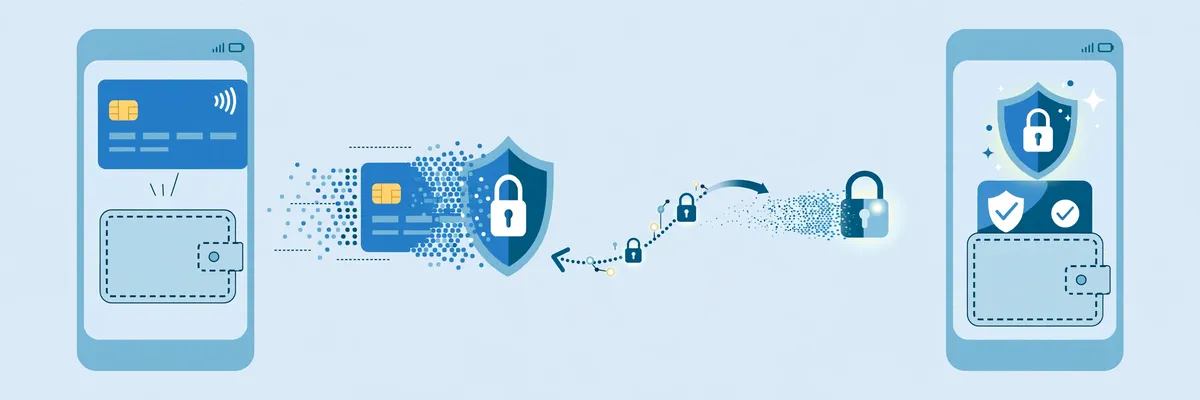
Google Pay does not sell Bitcoin itself. It simply passes a tokenised version of your Visa or Mastercard to the exchange, so the shop never sees your real card number.

Key takeaways
- Google Pay works on Android and on the web, not on iPhones. Apple Pay is the iPhone equivalent.
- Google itself charges no extra fee for the tap. The exchange, its payment partner, and your bank set the real cost.
- Always compare the final Bitcoin amount, not the headline fee. Partner checkouts can cost far more once the exchange rate margin is added.
- You cannot withdraw or sell Bitcoin back into Google Pay. Cashing out means selling to fiat and withdrawing to a bank account.
- In India, Google Pay runs on UPI bank payments, not saved cards, so no card checkout appears there.
How to buy Bitcoin with Google Pay in 7 steps
Buying Bitcoin with Google Pay takes about the same effort as paying for a coffee. The slow part is the one-time identity check, not the payment itself.
- Key takeaways
- How to buy Bitcoin with Google Pay in 7 steps
- Step 1: Add your card to Google Wallet
- Step 2: Pick an exchange that accepts Google Pay
- Step 3: Create and verify your exchange account
- Step 4: Choose Bitcoin and your amount
- Step 5: Select Google Pay and preview the quote
- Step 6: Confirm with your fingerprint or PIN
- Step 7: Check your balance, then move your Bitcoin
- Which exchanges accept Google Pay
- Google Pay vs Apple Pay: the honest head-to-head
- Fees and limits: what a 500 dollar order really costs
- How long does it take, and what are the limits
- Safety checks before you tap confirm
- Withdrawing: why Bitcoin never goes back to Google Pay
- India exception: Google Pay on UPI is a different product
- Common mistakes beginners make
- Frequently Asked Questions
- Can I buy Bitcoin directly with Google Pay?
- Does Google charge a fee for buying Bitcoin with Google Pay?
- Why did my Google Pay Bitcoin payment decline?
- Can I sell Bitcoin and withdraw to Google Pay?
- Can I use Google Pay to buy Bitcoin on an iPhone?
- Can I buy Bitcoin with Google Pay in India?
- Conclusion
- Sources
Follow the steps below in order, and read the fee screen before you tap confirm.
Step 1: Add your card to Google Wallet
Open Google Wallet on your Android phone and add a Visa or Mastercard in your own legal name. Your bank may ask you to verify the card with a code or through its own app.
Use a debit card if you can. Some banks treat a crypto purchase on a credit card as a cash advance, which adds an upfront fee and immediate interest.
Step 2: Pick an exchange that accepts Google Pay
Not every exchange shows the Google Pay button in every country. OKX offers native Google Pay checkout in Australia, the EU, and the UAE for verified accounts, according to its own help pages.

In other markets, the same button may route your order through a partner such as Banxa or MoonPay. That still works, but the price is usually worse, as the comparison later in this guide shows.
Step 3: Create and verify your exchange account
Sign up with your email or phone number and complete identity verification with a passport or national ID plus a selfie. Card payments stay hidden until verification clears, which usually takes minutes.
Make sure the name on your exchange account matches the name on your card. A name mismatch is the most common reason a first Google Pay crypto payment declines.
Step 4: Choose Bitcoin and your amount
Open Buy Crypto, select Bitcoin, and type the amount in your local currency. Start small on your first order, even if the platform allows thousands per transaction.
A first order of 100 to 200 in your local currency is enough to learn the flow without a costly mistake. You can scale up once you trust the process.
Step 5: Select Google Pay and preview the quote
At the payment step, choose Google Pay and review the preview screen carefully. Check three numbers: the amount you pay, the fee, and the exact amount of Bitcoin you receive.
If the Bitcoin amount looks low for the money you spend, stop and compare another route. The spread, which is the gap between the market price and the price you are quoted, often hides inside that number.
Step 6: Confirm with your fingerprint or PIN
Confirm the payment with your fingerprint, face unlock, or device PIN. Google sends the exchange a one-time token, not your real card number.
Do not share any verification code with anyone during this step. No real exchange or bank will ever ask you to read a code out loud or type it into a chat.
Step 7: Check your balance, then move your Bitcoin
Your Bitcoin should appear in your exchange account within minutes, though a first order can face a short withdrawal hold for your protection. Check the balance before you assume the order failed, and never pay twice for the same order.
For any amount you plan to hold, move it to a wallet you control. Our complete guide to every way to buy Bitcoin explains how each payment method fits into that bigger picture.
Which exchanges accept Google Pay
Google Pay support varies by country, so a platform that shows the button in Germany may hide it in the United States. The table below reflects the published positions of the main options as of October 2026, and you should still confirm the button appears for your own account before you rely on it.
| Platform | Google Pay route | What to know |
|---|---|---|
| OKX | Native checkout in Australia, EU, UAE | Verified accounts only, Visa or Mastercard in your legal name, spot trading fees around 0.08 to 0.10 percent after funding |
| Paybis | Direct checkout | Card purchases from 5 to 20,000 dollars per transaction, verification in about 2 minutes, processing in under 1 minute |
| Coinbase | Card payments in eligible regions | Card fee shown at the order preview, up to 3.99 percent in some regions, advanced trading fees around 0.40 to 0.60 percent |
| Crypto.com | Card checkout | Card fee of 3.99 percent plus the network fee, according to its help centre |
| Kraken | In-app card processing in the US, UK, Canada | Lower trading fees on Kraken Pro, but a more advanced interface for beginners |
Paybis is the simplest route if you only want a quick one-off purchase. OKX is usually the better value if you plan to keep trading, because its native checkout skips the partner markup in its supported markets.
Regional routes can beat both on convenience at home. Our Yellow Card guide covers a popular African on-ramp, and our Luno guide covers another exchange many beginners start with.
If your country is not listed for native checkout, do not assume the button will appear. Open the Buy Crypto screen first, and only fund your account once you can see Google Pay as a payment option.
Google Pay vs Apple Pay: the honest head-to-head
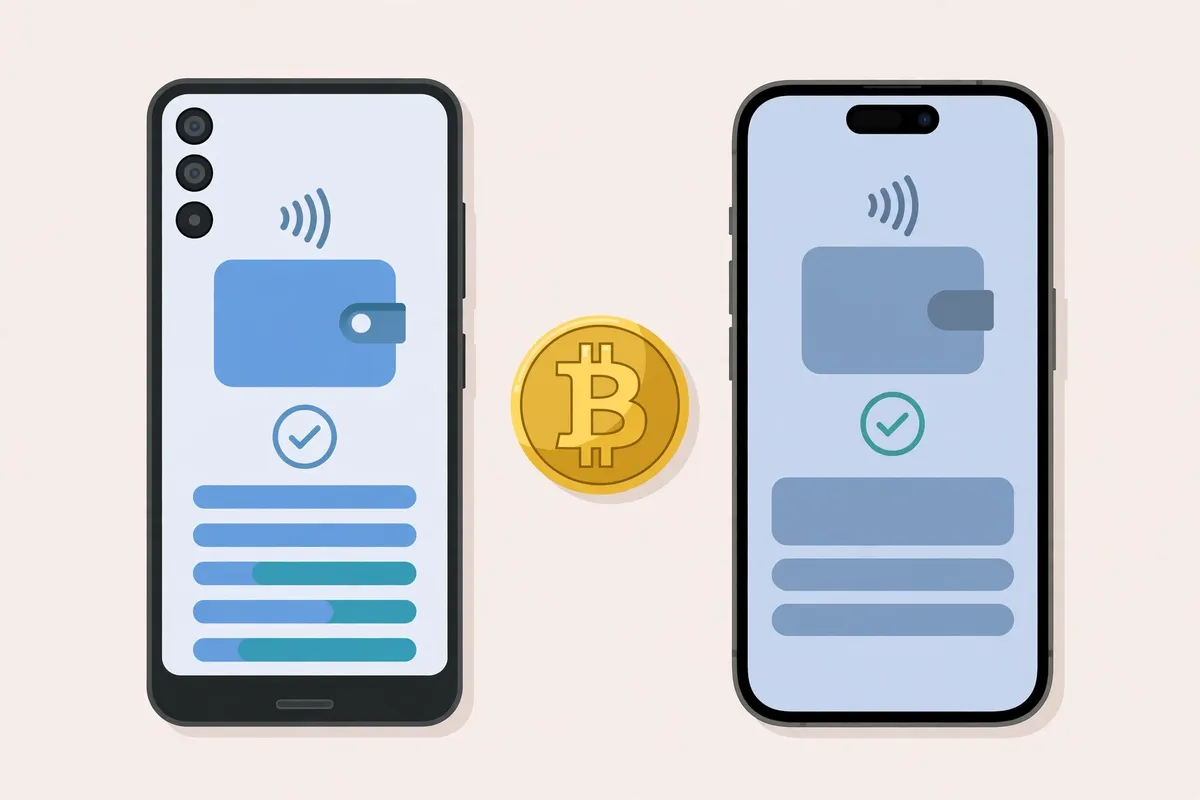
This is the comparison other guides blur, because both buttons look identical at checkout. The payment underneath is the same kind of card charge, but the device, the token system, and the checkout availability are not.
Yesterday we published our guide to buying Bitcoin with Apple Pay, and this section mirrors it directly so you can see the real differences side by side.
| Feature | Google Pay | Apple Pay |
|---|---|---|
| Devices | Android phones and the web in Chrome | iPhone, iPad, Mac, and Apple Watch |
| Card protection | Tokenised card number, with cloud-assisted token management on some devices | Device Account Number stored in the Secure Enclave chip on the device |
| Real card number shared? | No, the merchant receives a token | No, the merchant receives a token |
| Google or Apple fee | Google charges nothing extra for the tap | Apple charges nothing extra for the tap |
| Bank crypto policy | Still applies, and the bank can decline the card | Still applies, and the bank can decline the card |
| Cashing out | Not possible back to Google Pay | Not possible back to Apple Pay |
| India | Runs on UPI, so no card checkout appears | Works through saved cards where supported |
The practical takeaway is simple. Your phone decides which button you get, not your preference.
Android owners use Google Pay, iPhone owners use Apple Pay, and the fees, limits, and bank rules behind the button are nearly identical.
The one structural difference is where the token lives. Apple keeps its Device Account Number locked in hardware on the phone, while Google uses a hybrid of on-device and cloud-managed tokens depending on the device and region.
Both hide your real card number from the merchant, and neither makes a bad exchange quote cheaper.
Fees and limits: what a 500 dollar order really costs
Every guide quotes a fee percentage, and almost every guide stops there. That is the trap, because the cheapest headline fee is not always the cheapest order once the exchange rate margin is counted.
The table below uses published fees checked in October 2026. Treat it as a comparison method, not a promise, because your live quote can differ by country, card, and market conditions.
| Route | Published card fee on 500 dollars | Spread | What you actually compare |
|---|---|---|---|
| OKX native checkout | Shown on the quote screen, typically low single digits | Built into the quote | The final Bitcoin amount on the preview screen |
| MoonPay partner checkout | Up to 4.5 percent, about 22.50 dollars, minimum 3.99 dollars | Extra, not disclosed as a number | The final Bitcoin amount, not the 4.5 percent line |
| Banxa partner checkout | 1.99 percent, about 9.95 dollars | Typically 2 to 4 percent | The final Bitcoin amount, because the spread can exceed the fee |
| Paybis direct checkout | Shown upfront before you confirm | Built into the quote | The final Bitcoin amount plus the 5 to 20,000 dollar per-transaction range |
Here is the worked example that makes the point. On a 500 dollar order, MoonPay’s published fee alone is up to 22.50 dollars, while Banxa’s published processing fee is only 9.95 dollars.
Banxa can still cost more overall, because its 2 to 4 percent spread adds roughly 10 to 20 dollars on top. MoonPay’s spread is also extra and undisclosed, so neither headline fee tells the full story.
That is why the quote-comparison rule matters more than any fee table. Run the same order on two checkouts, write down the Bitcoin amount each one offers, and pick the larger amount.
Two minutes of comparing routinely saves a percentage point or more.
Two more costs catch beginners out. First, a credit card issuer may add a cash advance fee and immediate interest on top of the exchange fee.
Second, moving Bitcoin off the exchange later costs a network fee, which is separate from the purchase fee entirely.
How long does it take, and what are the limits
Payment processing is usually instant, under 1 minute on Paybis, with settlement near to instant depending on the blockchain. Your first order can still feel slow, because verification and a possible withdrawal hold happen before or just after the payment.
Limits depend on the platform and your verification level, not on Google Pay itself. Paybis allows card purchases from 5 to 20,000 dollars per transaction with no daily or monthly cap stated, while other platforms set their own per-transaction and daily caps by region and verification tier.
Google Play balance cannot fund a purchase. Google’s own help pages confirm that Play balance cannot top up Google Pay or another payment method, so a gift card balance sitting in your Play account will not buy Bitcoin.
Safety checks before you tap confirm
Google Pay protects your card number, but it cannot protect you from a bad quote, a fake app, or a bank decline. Run through this short checklist on every order, not just the first one.
First, confirm the card name matches your exchange account name. Second, confirm the final Bitcoin amount, not just the fee line.
Third, confirm you are in the real exchange app, downloaded from the Play Store, not a lookalike app or a link sent in a message.
Declines and how to fix them
A decline usually means one of four things: a name mismatch, a bank that blocks crypto on that card, a credit card flagged as a cash advance, or an unsupported region. Switch to a debit card from the same bank first, because that fixes the cash advance problem in one move.
If the debit card also declines, call your bank and ask whether crypto purchases are blocked on that card. Some banks refuse crypto on credit outright, and that block follows the card into Google Wallet, so no wallet trick will bypass it.
Scams to avoid
Never buy Bitcoin for someone else through Google Pay, and never send Bitcoin to an address someone gave you in a chat. Real support staff never ask for your seed phrase, your verification codes, or a payment to “unlock” your account.
Also avoid no-verification sellers who promise Google Pay Bitcoin with no identity check. They carry low liquidity, high scam risk, and no way back if the coins never arrive.
Withdrawing: why Bitcoin never goes back to Google Pay
Google Pay moves fiat currency from your card to a merchant. It does not touch the Bitcoin blockchain, so it cannot receive Bitcoin back.
To cash out, sell your Bitcoin on the exchange for fiat, then withdraw that fiat to your linked bank account. OKX states this directly in its help pages: withdrawals to digital wallets such as Apple Pay or Google Pay are not supported.
Plan for that exit before you buy. If your bank account is not linked and verified, your first withdrawal will take longer than your first purchase did.
India exception: Google Pay on UPI is a different product
Indian buyers often search for this guide and hit a wall, and the reason is worth stating plainly. In India, Google Pay runs on UPI, the bank-to-bank payment system, instead of saved cards.
That means no card checkout appears, and the route for Indian buyers is a UPI deposit on a local platform instead. If you live in India, follow a UPI-based route rather than hunting for a Google Pay card button that will not appear.
The same logic applies in reverse to other local wallets. Our GCash guide covers the Philippines route, and our BLIK guide covers Poland, where a local payment method beats a card checkout on cost and convenience.
Common mistakes beginners make
The most expensive mistake is confirming a partner quote without comparing it. A second checkout on the same order often offers more Bitcoin for the same money, and the difference is pure profit you gave away.
The second mistake is buying on a credit card without checking the cash advance rule. A 4 percent exchange fee plus a cash advance fee and immediate interest can turn a small first purchase into a costly lesson.
The third mistake is leaving a large balance on the exchange. Exchanges get hacked, accounts get frozen, and withdrawals get delayed.
Move holdings you plan to keep into your own wallet, and keep only trading funds on the exchange.
If bank transfer is an option for you, compare it too. Our ACH transfer guide shows why slower bank rails often beat card checkouts on larger orders, even though they take longer to clear.
Frequently Asked Questions
These are the questions beginners ask most often about this payment method. Each answer covers the exact point, with no extra fluff.
Can I buy Bitcoin directly with Google Pay?
No, Google Pay does not sell Bitcoin. It passes your tokenised card to an exchange or payment partner, and that platform sells you the Bitcoin.
Does Google charge a fee for buying Bitcoin with Google Pay?
No, Google charges nothing extra for the tap itself. The exchange, its payment partner, and your card issuer set every cost you actually pay.
Why did my Google Pay Bitcoin payment decline?
The most common causes are a name mismatch between your card and your exchange account, a bank that blocks crypto purchases, or a credit card treated as a cash advance. A debit card in your own name fixes most declines.
Can I sell Bitcoin and withdraw to Google Pay?
No, withdrawals back to Google Pay are not supported. Sell to fiat on the exchange and withdraw to your linked bank account instead.
Can I use Google Pay to buy Bitcoin on an iPhone?
No, Google Pay checkout works on Android devices and on the web only. iPhone owners should use Apple Pay or a plain card form instead.
Can I buy Bitcoin with Google Pay in India?
No, not through a card checkout. Google Pay in India runs on UPI bank payments, so Indian buyers should use a UPI deposit route on a local platform.
Conclusion
Google Pay is one of the fastest ways to buy Bitcoin, but speed is not the same as value. The button is free, the quote is where the money goes, and comparing two quotes on the same order is the single habit that saves beginners the most.
Start small, use a debit card in your own name, compare the final Bitcoin amount, and move your coins to your own wallet. If you want a slower but cheaper route for larger orders, or a local wallet method for your country, start from the payment methods hub and pick the route that fits your amount.
For a first purchase today, OKX native checkout is the best value where it is available, Paybis is the simplest one-off route, and a partner checkout is worth using only when its final Bitcoin amount beats the alternatives. Check the quote screen, not the headline fee, and you will keep more of every order.
Sources
- OKX Help: How do I buy crypto with Google Pay?
- Paybis: Buy Crypto with Google Pay, Platforms, Fees and Limits
- Google for Developers: Get started with Google Pay device tokenization