


Yes, you can buy Bitcoin with Skrill, but Skrill itself is not the whole story. The route you pick decides your fee, your speed, and whether you end up with real Bitcoin you can move to your own wallet.
This guide compares the three real routes side by side. It shows the exact fees and limits we verified on November 3, 2026, and it walks you through the cheapest sensible path step by step.

Key Takeaways
- Skrill can fund an exchange account, or it can pay for Bitcoin straight into your own wallet through Skrill Crypto On-Ramp.
- CEX.IO charges 3.99 percent on Skrill deposits, with a 35 minimum and a 10,000 daily maximum in dollars, euros, or pounds.
- Bitpanda shows a fee of 1 euro plus 3.60 percent on Skrill deposits, with a 25 euro minimum and a 10,000 euro maximum.
- The exchange account and the Skrill account must share the same email address on CEX.IO, or the deposit will fail.
- Always move bought Bitcoin to a wallet you control, and test with a small amount first.
Can You Buy Bitcoin With Skrill?
Yes, you can, and two different kinds of purchase sit behind that short answer. You can send Skrill money to a crypto exchange and buy Bitcoin there, or you can use Skrill Crypto On-Ramp to buy Bitcoin straight into a wallet you already own.
- Key Takeaways
- Can You Buy Bitcoin With Skrill?
- The Three Routes Compared
- Route 1: Buy Bitcoin With Skrill on CEX.IO
- Step 1: Match your email addresses
- Step 2: Verify both accounts
- Step 3: Deposit from Skrill to CEX.IO
- Step 4: Buy Bitcoin and check the total
- Watch out for the 1-Tap trap
- Route 2: Buy Bitcoin With Skrill on Bitpanda
- Step 1: Open and verify your Bitpanda account
- Step 2: Deposit with Skrill
- Step 3: Buy Bitcoin and note the spread
- Route 3: Buy Bitcoin Straight Into Your Wallet With Skrill Crypto On-Ramp
- What 500 Actually Costs on Each Route
- Safety Checks Before You Send Money
- Check the name match
- Check the currency match
- Check the address twice
- Turn on two-factor authentication
- Moving Bitcoin to Your Own Wallet
- Common Mistakes Beginners Make With Skrill
- Skrill Compared With Other Ways to Pay
- Frequently Asked Questions
- Can I buy Bitcoin with Skrill without verification?
- How long does a Skrill deposit to an exchange take?
- What is the minimum amount to buy Bitcoin with Skrill?
- Can I withdraw Bitcoin bought with Skrill to my own wallet?
- Is buying Bitcoin with Skrill safe?
- Why did my Skrill deposit to CEX.IO fail?
- Conclusion
- Sources
The difference matters more than the brand names do. An exchange purchase gives you trading tools and an order book, while an On-Ramp purchase sends coins straight to your address and skips the exchange account entirely.
The Three Routes Compared
Most guides list one exchange and stop there, so beginners never learn what the other routes cost. The table below puts the three verified routes next to each other, using the figures published by each provider and checked on November 3, 2026.
Read the table as a starting point, not as a promise, because every provider shows its final fee on screen before you confirm. Fees can change, and the on-screen figure always wins over any guide, including this one.
| Route | Deposit fee | Minimum and maximum | Speed | Where the Bitcoin lands |
|---|---|---|---|---|
| CEX.IO with Skrill | 3.99 percent | 35 minimum, 10,000 per day | Same business day, often within an hour | Your CEX.IO account, then your own wallet if you withdraw it |
| Bitpanda with Skrill | 1 euro plus 3.60 percent | 25 euro minimum, 10,000 euro maximum | Instant in most cases | Your Bitpanda account, then your own wallet if you withdraw it |
| Skrill Crypto On-Ramp | Shown on screen, varies by wallet partner | Dynamic limits shown on screen | Blockchain confirmation in about 5 to 60 minutes | Straight into your own crypto wallet |
The exclusive value of this guide is that comparison itself. No other beginner guide we checked lines up all three routes with their limits, their email rules, and their withdrawal paths in one place.

Route 1: Buy Bitcoin With Skrill on CEX.IO
CEX.IO suits buyers who want a full exchange behind their purchase. You deposit Skrill funds into your CEX.IO fiat balance, then you buy Bitcoin against the live order book with Instant Buy, Convert, or Spot Trading.
The deposit fee is 3.99 percent of the transfer, and the spot trading fee starts at 0.25 percent. Withdrawals back to Skrill cost 1 percent, so plan your exit route before you deposit.
Step 1: Match your email addresses
Open a CEX.IO account with the exact email address you use for Skrill. CEX.IO rejects Skrill transfers from an account that does not match your CEX.IO email, so fix any mismatch before you send money.
Step 2: Verify both accounts
Complete identity verification on CEX.IO and full verification on Skrill. Regulated exchanges must check your identity, and Skrill also runs its own checks before it lets you send fiat out.
Step 3: Deposit from Skrill to CEX.IO
Choose Skrill on the CEX.IO deposit screen, enter an amount between 35 and 10,000, and approve the transfer in Skrill. Most deposits credit on the same business day, and many settle within an hour after Skrill confirms the transfer.
Step 4: Buy Bitcoin and check the total
Pick Instant Buy for speed or Spot Trading for a limit order, then read the full cost before you confirm. The deposit fee, the trading fee, and any spread all sit inside that final figure, so compare it with the amount of Bitcoin you actually receive.
Watch out for the 1-Tap trap
Skrill 1-Tap lets you top up Skrill with a card and then send the funds on to CEX.IO. That path stacks two fee layers, because you pay the card top-up fee and then the 3.99 percent Skrill deposit fee on top of it.
Fund Skrill from a bank account instead when you can, and skip the card top-up layer entirely. Your bank statement will thank you, and so will your final Bitcoin balance.
Route 2: Buy Bitcoin With Skrill on Bitpanda
Bitpanda suits European beginners who want a simple app and fast funding. You deposit euros, pounds, dollars, or Swiss francs with Skrill, then you buy Bitcoin inside the Bitpanda app.
The Skrill deposit fee shown for Bitpanda is 1 euro plus 3.60 percent, with a 25 euro minimum and a 10,000 euro maximum. Some newer Bitpanda pages claim zero deposit fees, so treat the fee on your own deposit screen as the final word.
Step 1: Open and verify your Bitpanda account
Sign up with your real details and finish verification before you deposit. Bitpanda serves mainly European customers, so check that your country qualifies before you fund the account.
Step 2: Deposit with Skrill
Open the deposit screen, pick Skrill, and enter your amount. Bitpanda credits e-wallet deposits instantly in most cases, which makes it the fastest of the three routes for a first purchase.
Step 3: Buy Bitcoin and note the spread
Choose Bitcoin, review the quoted price, and confirm only when the total looks right. Bitpanda builds part of its trading cost into the displayed price, so the fee line alone never tells the full story.
Route 3: Buy Bitcoin Straight Into Your Wallet With Skrill Crypto On-Ramp
Skrill Crypto On-Ramp works the other way round from an exchange deposit. You start inside a crypto wallet that supports Skrill as a payment option, and you pay with Skrill to receive Bitcoin at your own wallet address.
Your Skrill account must be fully verified before the payment can complete. Skrill states this rule plainly on its own support page, and you can finish verification during the purchase flow if you have not done it yet.
How the On-Ramp purchase works
Log in to your crypto wallet, choose Skrill as the payment method, and pick your fiat currency, Bitcoin, and network. Enter your wallet address, mark whether the wallet is custodial or non-custodial, and confirm the payment in Skrill.
Blockchain transactions usually take between 5 and 60 minutes to appear in the receiving wallet. The purchase cannot be reversed or refunded once Skrill processes it, so double-check the address character by character.
Why this route appeals to self-custody buyers
Bitcoin bought through On-Ramp lands in a wallet you control, with no exchange withdrawal step in between. That single fact makes it the cleanest route for buyers who already hold their own wallet and want no extra account.
The trade-off is choice, because only wallets that list Skrill Crypto as a payment option can use it. Check your wallet’s payment page first, and fall back to an exchange route if Skrill does not appear there.
What 500 Actually Costs on Each Route
Percentages hide real money, so here is the same 500 purchase worked through on the two exchange routes. The table uses the verified deposit fees only, and it excludes trading spreads, which vary by the minute.
| Route | Deposit fee on 500 | Money left to buy Bitcoin | Extra cost to remember |
|---|---|---|---|
| CEX.IO Skrill deposit | 19.95 | 480.05 before trading fees | Spot trading fee from 0.25 percent, plus 1 percent if you later withdraw to Skrill |
| Bitpanda Skrill deposit | 19.00 on 500 euro (1 euro plus 3.60 percent) | 481.00 before any spread | Trading spread built into the quoted price |
On a 500 purchase the two exchange routes land within a euro of each other on deposit fees alone. The real gap shows up in trading costs and withdrawal fees, so compare the final Bitcoin amount, not just the deposit line.
Small purchases suffer most, because a fixed fee like Bitpanda’s 1 euro weighs heavier on 25 euro than on 500 euro. CEX.IO’s 35 minimum also rules out tiny test buys, so start with the smallest amount your chosen route allows.
Safety Checks Before You Send Money
Skrill payments are push payments, which means you approve them and they rarely come back. That finality protects merchants, but it leaves buyers with little room to fix a mistake after the fact.
Run these checks in order, every time, even when you feel rushed. A two-minute pause now beats a support ticket later.
Check the name match
Use your own Skrill account and your own exchange account, with matching names and emails. A third-party Skrill account will not fund your exchange account, and the failed transfer can take days to untangle.
Check the currency match
Keep the same currency on both sides of the transfer, such as euros to euros. A currency mismatch triggers a Skrill conversion markup, and that markup often costs more than the deposit fee itself.
Check the address twice
Copy your Bitcoin address from your wallet, paste it into the withdrawal field, and compare the first and last characters by eye. One wrong character can send Bitcoin to an address nobody controls, and no support team can reverse that transfer.
Turn on two-factor authentication
Protect both your Skrill account and your exchange account with an authenticator app, not just SMS codes. Attackers target e-wallet accounts precisely because the money inside them moves fast.
Moving Bitcoin to Your Own Wallet
Bitcoin sitting on an exchange belongs to your account there, but only Bitcoin in a wallet you control is fully yours. The safest habit is simple: buy on the exchange, then withdraw to your own wallet as soon as the purchase settles.
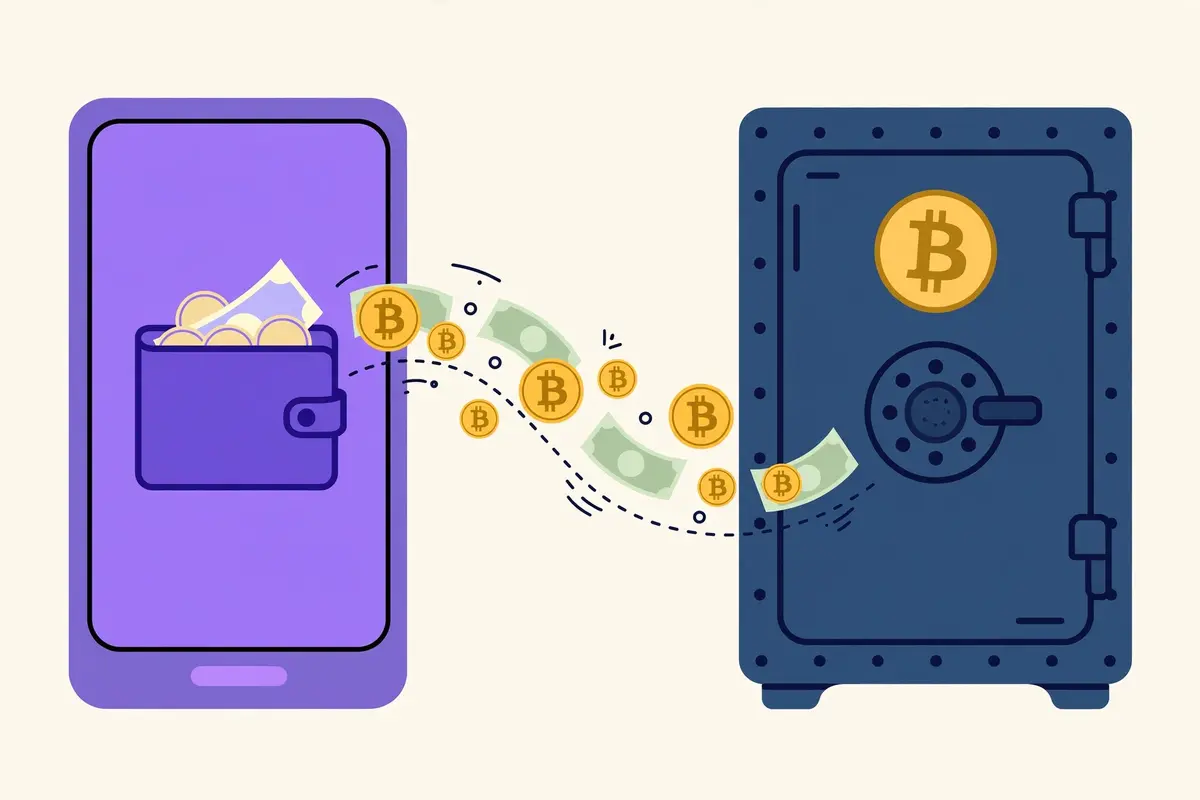
Pick a wallet type that fits how much you hold and how often you spend. Beginners often start with a reputable mobile wallet, and larger holders move to a hardware wallet for long-term storage.
Our guide to the best Bitcoin wallets for beginners compares the main options in plain language. If you do not have a wallet yet, read how to get a Bitcoin wallet first and set it up before you buy.
Withdraw a small test amount first, wait for it to arrive, and only then move the rest. That single habit catches wrong addresses and wrong networks while the loss stays small.
Common Mistakes Beginners Make With Skrill
The most common mistake is buying crypto inside the Skrill app and expecting to move it to an exchange. Skrill’s own in-app crypto stays inside Skrill for investment, and it does not behave like Bitcoin you bought on an exchange.
The second mistake is funding Skrill with a card, then paying the exchange deposit fee on top. That double fee quietly eats several percent before you own a single satoshi, so fund Skrill from a bank account when you can.
The third mistake is skipping the on-screen fee check because a guide quoted an older figure. Providers change fees without telling guide writers, so the number on your screen always beats the number in any article.
The fourth mistake is leaving Bitcoin on the exchange for months out of habit. Exchanges can freeze withdrawals during outages or security events, while your own wallet answers to nobody but you.
Skrill Compared With Other Ways to Pay
Skrill wins on speed and privacy from your bank, because the exchange never sees your bank details. It loses on cost, because bank transfers usually charge far less than the 3.60 to 3.99 percent Skrill routes charge.
If your bank transfer option works and you can wait a day, it will almost always beat Skrill on price. Our complete guide to every way to buy Bitcoin lines up all the payment methods so you can compare them properly.
Skrill makes most sense in three cases: your bank blocks crypto purchases, you already hold a Skrill balance, or you need the deposit to land today. Outside those cases, treat Skrill as a convenience tool, not a default.
For a slower but cheaper European route, see our guide to buying Bitcoin with SEPA transfer. For a mobile wallet payment instead, see how to buy Bitcoin with Google Pay. If you want to pay by debit card instead, see how to buy Bitcoin with Wise.
For an instant-payment comparison from another region, our guide to buying Bitcoin with Pix shows how Brazil’s instant system handles Bitcoin buys.
Frequently Asked Questions
These answers cover the questions beginners ask most about Skrill and Bitcoin. Each answer reflects the routes and fees described above.
Can I buy Bitcoin with Skrill without verification?
No, you cannot complete a real purchase without verification. Skrill requires a fully verified account for Crypto On-Ramp, and every regulated exchange runs identity checks before it lets you deposit or trade.
How long does a Skrill deposit to an exchange take?
CEX.IO credits Skrill deposits on the same business day, often within an hour after Skrill confirms the transfer. Bitpanda credits e-wallet deposits instantly in most cases.
What is the minimum amount to buy Bitcoin with Skrill?
CEX.IO sets a 35 minimum Skrill deposit, and Bitpanda sets a 25 euro minimum Skrill deposit. Your first buy also needs to clear the exchange minimum trade size, so check both limits before you deposit.
Can I withdraw Bitcoin bought with Skrill to my own wallet?
Yes, you can withdraw Bitcoin bought on CEX.IO or Bitpanda to any Bitcoin address you control. Skrill Crypto On-Ramp skips this step entirely, because the Bitcoin lands in your wallet from the start.
Is buying Bitcoin with Skrill safe?
Skrill is a long-established regulated e-wallet, and the main risks come from user mistakes rather than the wallet itself. Match your names and emails, check addresses twice, use two-factor authentication, and move Bitcoin to your own wallet after you buy.
Why did my Skrill deposit to CEX.IO fail?
The most common cause is an email mismatch between your Skrill account and your CEX.IO account. Check that both accounts use the same email address, then check your Skrill balance and verification status before you retry.
Conclusion
Skrill gives you three honest ways into Bitcoin, and the right one depends on where you want the coins to land. Choose CEX.IO for a full exchange with same-day Skrill funding, Bitpanda for a fast European app purchase, or Skrill Crypto On-Ramp when you already own a wallet and want coins sent straight to it.
Whatever route you pick, verify both accounts first, match your emails and currencies, and confirm the full fee on screen. Then buy, withdraw a small test amount to your own wallet, and build from there.
Ready to compare every payment method before you commit? Start with the complete payment methods hub linked above, then pick the route that fits your budget and your patience.