


You buy Bitcoin on Peach Bitcoin by installing the mobile app, setting a payment method, picking a seller offer, paying that seller directly, and then moving your coins to a wallet you control. Peach matches buyers and sellers, but it never sells you Bitcoin itself.
You trade with a real person, and the app handles the match, the chat, and the release steps.

This guide walks through the full process in the order you will meet it. It also leads with the change most older guides miss.
- Key takeaways
- What Peach Bitcoin is
- The September 2026 change you must know first
- How much buying on Peach really costs
- Step by step: how to buy Bitcoin on Peach
- Step 1: Install the app and back up your wallet
- Step 2: Add a payment method
- Step 3: Find an offer worth taking
- Step 4: Accept the offer and pay within the window
- Step 5: Confirm receipt and release
- Step 6: Move your coins to self-custody
- Peach vs Bisq vs Luno: which route fits you
- How to pick a safe offer and dodge common scams
- Common mistakes new Peach buyers make
- Who should use Peach, and who should not
- Frequently asked questions
- Is Peach Bitcoin safe to use?
- Does Peach Bitcoin require KYC or ID?
- What are the fees for buying Bitcoin on Peach?
- What is the maximum I can buy on Peach in 2026?
- Can I buy Bitcoin on Peach without a bank account?
- What happens if a seller does not release my Bitcoin?
- Final verdict: should you buy on Peach?
Peach paused its escrow signature on September 1, 2026, while Swiss regulators review its compliance framework. Buying still works, but the limits and the seller rules changed, so read that section before you place an offer.
Key takeaways
- Peach is a mobile, peer-to-peer Bitcoin marketplace from Switzerland, and it runs on Bitcoin only.
- Buyers normally pay a 2 percent fee, sellers pay 0 percent, and network fees sit on top.
- Since September 1, 2026, buys cap at CHF 500 per transaction and seller prices cap at a 6 percent premium under temporary rules.
- Only verified, whitelisted, or experienced sellers can create sell offers while the escrow pause lasts.
- Move your coins to your own wallet after every trade, and never pay outside the app.
What Peach Bitcoin is
Peach Bitcoin is a peer-to-peer marketplace that connects Bitcoin buyers and sellers through a phone app. The company behind it, Peach Sarl, sits in Neuchatel, Switzerland, and it launched the service in 2022.
Peach sells no Bitcoin of its own, so every price you see comes from an individual seller.
That model shapes everything about the app. You pick your payment method, you judge each seller, and you pay the seller directly from your bank or wallet app.

Peach earns its fee by running the marketplace and settling disputes, not by holding your coins as a bank would.
Who runs Peach and where it works
Peach Sarl operates as a Swiss financial service provider and belongs to the PolyReg self-regulatory organisation. That Swiss base matters, because Swiss anti-money-laundering rules shape the trading limits you will see.
Peach focuses on Europe, with euro, Swiss franc, pound sterling, and Swedish krona as its core currencies.
Peach does not target buyers in the United States. Check the app store listing in your own country before you plan a purchase around Peach.
Availability can change, and the listing tells you faster than any guide can.
What makes Peach different from a normal exchange
A normal exchange sells you Bitcoin from its own order book and holds your coins in its custody. Peach never takes that role, because your fiat payment goes straight to the seller.
Your Bitcoin goes to an address you control, either inside the app or in an external wallet.
Peach also skips the usual signup. You install the app, it generates keys on your device, and you trade without an email address, an account password, or a government ID for normal trades.
Peach enforces limits instead of asking for documents, and that trade-off drives both its appeal and its risks.
The September 2026 change you must know first
On August 31, 2026, Peach announced a temporary change that took effect on September 1, 2026. Swiss regulators asked Peach to re-examine the compliance framework that allowed no-ID trading since 2022.
Peach paused the escrow signature it traditionally held while it appeals that decision.
This pause changes the safety picture, so older guides that describe the old escrow model no longer tell the full story. Peach still runs its in-app dispute system, and it still charges the 2 percent fee on released trades.
The marketplace keeps operating, but with tighter rules on who can sell and how much you can buy at once.
Temporary rules in force since September 1, 2026
- Buys cap at CHF 500 per transaction.
- Seller prices cap at a 6 percent premium over the market price.
- Only KYC verified users, manually whitelisted users, or experienced sellers can create sell offers.
- An experienced seller needs zero lost disputes plus either more than 60 trades as a seller, or more than 30 seller trades and more than 80 trades in total.
- A non-KYC seller can run only one active trade at a time.
- Peach no longer holds a signature in the escrow during this period.
Read those limits as temporary, not permanent. Peach describes the change as a pause during its appeal, and the rules could shift again if regulators rule either way.
Check the in-app terms and the current offer screen before you trade, because the app shows the live limits. Never rely on a guide, including this one, as a substitute for that check.
The practical effect for a buyer is simple. You buy in smaller chunks, you pay at most a 6 percent premium under the current cap, and you trade with a narrower pool of sellers.
That narrower pool should raise the average quality of offers, but it can also thin out liquidity at busy times.
How much buying on Peach really costs
Peach charges buyers 2 percent and sellers 0 percent. You also pay the network fee when Bitcoin moves on chain, and you pay whatever premium the seller sets over the market price.
Those three costs stack, so judge an offer by its total cost, not by its headline price alone.
Older independent tests found typical Peach offers priced 5 to 10 percent above KYC exchange prices. The temporary 6 percent premium cap now limits that part of the cost for new offers.
That cap helps buyers, but it does not erase the fee or the network fee.
The CHF 500 example, worked out in full
Take a CHF 500 buy at the maximum allowed premium of 6 percent. You pay the seller CHF 500, and the seller prices the Bitcoin 6 percent above the market price.
Peach then takes its 2 percent buyer fee from the Bitcoin you receive, so you receive 98 percent of the Bitcoin that CHF 500 buys at the seller price.
The arithmetic runs like this. You pay 1.06 times the market price per coin, then you receive only 0.98 of a coin for each coin you paid for.
Divide 1.06 by 0.98 and you get 1.0816, so your effective price sits about 8.16 percent above the market price before the network fee. Treat this as an illustration at the maximum premium, not as a live quote, because real offers price below the cap.
| Cost piece | What you pay |
|---|---|
| Seller premium (maximum under temporary rules) | Up to 6 percent above market price |
| Peach buyer fee | 2 percent of the Bitcoin received |
| Combined effect at the maximum premium | About 8.16 percent above market price |
| Network fee | Varies with chain congestion, paid on top |
| Seller fee | 0 percent |
Smaller buys feel the network fee harder. A CHF 50 buy carries the same percentage premium and fee, but a fixed network fee eats a larger share of a small amount.
Larger buys spread that fixed cost thinner, yet the CHF 500 transaction cap blocks one large Peach purchase for now. Plan your buy size around that cap, and compare the total against a KYC exchange before you commit.
Premium versus fee: why both numbers matter
New buyers often fixate on the 2 percent Peach fee and ignore the premium. The premium usually costs more than the fee, because sellers set their own prices and privacy carries a markup.
A seller at a 2 percent premium plus the 2 percent fee costs you far less than a seller at the 6 percent cap.
Sort offers by premium first, then check the seller record. A cheap offer from a seller with a weak history can cost you far more than a slightly pricier offer from a proven seller.
Peach lets you filter offers by lowest premium and by reputation, so use both filters before you tap anything.
Step by step: how to buy Bitcoin on Peach
Work through these steps in order, and do not rush the backup step. Peach gives you no password reset for a wallet you fail to back up.
A few careful minutes at setup save you from the most common and most painful beginner loss.
Keep every part of each trade inside the app. Peach arbitrators can only see the in-app chat and the trade record if a dispute arises.
A deal that moves to another chat app loses that protection, and a seller who asks you to move off-app gives you a clear warning sign.
Step 1: Install the app and back up your wallet
Download Peach Bitcoin from the official app store listing, and confirm the developer name matches Peach Sarl before you install anything. Open the app, let it generate your wallet keys on your device, and create the backup file with a strong password you store offline.
Write that password on paper, store it somewhere safe, and never keep it in the same place as the backup file.
Test your backup thinking before you fund anything. Ask yourself what happens if your phone breaks tonight, and only proceed when you can answer that question with a real recovery plan.
Peach stores your payment details on your device and keeps only hashes server side to enforce limits, so your device carries the keys that matter.
Step 2: Add a payment method
Open the payment settings and add the method you plan to pay with. Peach supports more than 100 payment options, including SEPA bank transfer, Revolut, Wise, PayPal, gift cards, and cash through local meetups.
European local rails also appear, such as Twint in Switzerland, Swish in Sweden, Bizum in Spain, and MBWay in Portugal.
Pick a method you already use and can prove you paid with. Bank transfer and established wallet apps leave a clear payment trail for a dispute, while gift cards and cash leave far less.
Leave the payment reference field empty when you pay, because a reference can link your identity to the trade. That small habit protects the privacy you came to Peach for.
Step 3: Find an offer worth taking
Enter the amount you want to buy in satoshis or in fiat, then browse the matching offers. Peach prices Bitcoin in satoshis, the smallest Bitcoin unit, so 100 million satoshis equal one full Bitcoin.
Filter by lowest premium first, then read the seller profile, trade count, and dispute history before you choose.
Compare at least three offers before you accept one. Check the premium, the payment method, the seller history, and the amount limits, and skip any offer that looks too cheap to trust.
A price far below every other offer usually signals a trap, not a bargain.
Step 4: Accept the offer and pay within the window
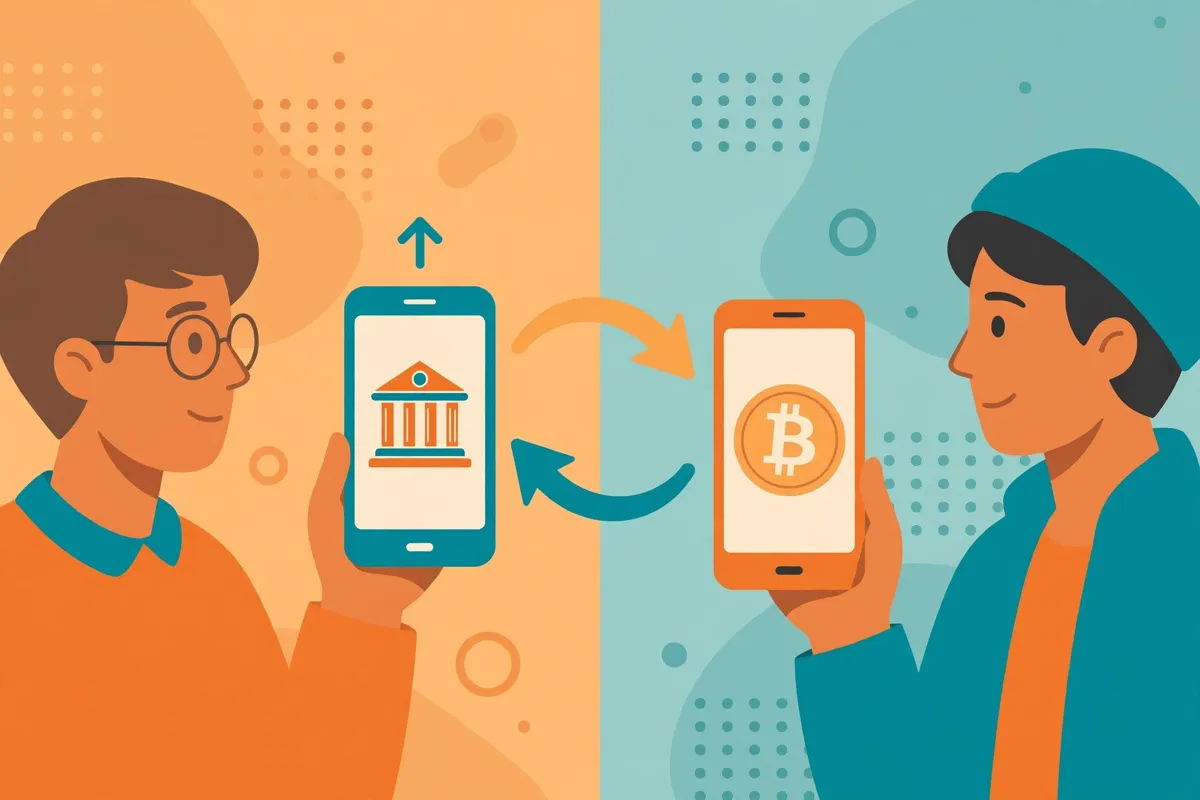
Accept the offer you chose, then send the exact fiat amount to the seller through the payment method you selected. Peach gives buyers a 12 hour window to pay after a match, and faster payment builds your buyer score.
Pay the exact amount, use the agreed method, and keep the payment inside the agreed rails.
Confirm the payment in the app chat once you send it. Keep your messages short, factual, and limited to the trade itself, and share no personal details beyond what the payment requires.
Never send a payment before Peach matches you with a seller, and never pay a second time because a seller claims the first payment failed.
Step 5: Confirm receipt and release
Wait for the seller to confirm receipt of your payment, then watch for the Bitcoin release to your receiving address. Under the old model, the seller and Peach both signed the release from a two-of-two multisig escrow.
Under the temporary model, Peach no longer holds that escrow signature, so follow the in-app release prompts exactly as they appear.
Check the amount you received against the agreed amount minus the 2 percent fee. Flag any shortfall in the trade chat at once, and open a dispute through the app if the seller stays silent or disputes your payment.
Keep screenshots of your payment confirmation, because a dispute runs on evidence, not on memory.
Step 6: Move your coins to self-custody
Send your Bitcoin from the Peach wallet to a wallet you fully control, such as a hardware wallet or a reputable software wallet where you hold the keys. Our guide to storing Bitcoin safely explains the hot wallet versus cold wallet choice in plain terms.
Send a small test amount first when you use a new address, then send the rest once the test lands.
Verify the receiving address character by character before you send anything. Malware can swap an address in your clipboard, and a Bitcoin transaction gives you no undo button.
Treat every large send as a two-check job, once on screen and once from your own written record.
Peach vs Bisq vs Luno: which route fits you
This comparison gives Peach its honest context. Peach sits between a fully decentralised marketplace and a full KYC exchange, and each option wins on a different priority.
Pick by what you value most, privacy, ease of use, or lowest cost, because no single route wins all three.
Bisq runs as desktop software over Tor, with no central company and security deposits from both sides of each trade. Luno runs as a regulated, centralised exchange with full identity checks and custody until you withdraw.
Peach runs as a polished phone app from a regulated Swiss company, with no ID for normal trades but with limits and retained records.
| Feature | Peach Bitcoin | Bisq | Luno |
|---|---|---|---|
| Type | Mobile peer-to-peer marketplace | Desktop decentralised marketplace | Centralised exchange |
| KYC for normal buys | No ID, limits instead | No ID, no central accounts | Full ID verification required |
| Buyer fee | 2 percent | Roughly 0.1 to 0.7 percent plus network fees | About 1 percent for instant buys in the app |
| Escrow model | Two-of-two multisig historically, signature paused since September 2026 | Multisig with deposits and arbitration | Company custody until withdrawal |
| Current buy cap | CHF 500 per transaction under temporary rules | No platform cap once matched | Set by verification tier and payment rail |
| Typical premium over market | Up to 6 percent under the temporary cap | Varies by offer, often lower than Peach | Near market on the order book, wider on instant buy |
| Ease of use | Easiest of the three for beginners | Steepest learning curve | Easiest overall, but with full KYC |
| Best for | Small, private, phone-first buys in Europe | Privacy purists who accept desktop complexity | Beginners who accept ID checks for simplicity |
Our full Bisq buying guide covers its Tor setup, deposits, and first-trade safety in detail. Our Luno buying guide covers its verification tiers and African market focus.
Read the one that matches your priority before you commit to a route, because switching platforms mid-trade wastes time and fees.
The honest summary runs like this. Peach wins on phone-first ease with no ID, Bisq wins on trust minimisation and lower fees, and Luno wins on simplicity for buyers who accept KYC.
Peach also carries a real privacy caveat, because Peach Sarl must retain encrypted trade and dispute data for ten years under Swiss rules. No ID at signup does not mean no records anywhere.
How to pick a safe offer and dodge common scams
Scammers target P2P buyers because they know beginners feel rushed. Slow down, check the seller record, and treat any pressure to hurry as a warning sign.
A genuine seller waits for a correct payment, while a scammer invents urgency to push you past your own checks.
Refuse any request that breaks the normal flow. Never release payment outside the app, never share gift card codes before the trade completes, and never accept a screenshot as proof of a Bitcoin release.
Peach can only arbitrate what it can see inside the trade, so keep the evidence inside the trade.
Red flags that should stop a trade cold
- The seller asks you to chat or pay outside the Peach app.
- The seller asks you to release coins or confirm payment before you actually pay.
- The offer price sits far below every other offer on the same payment rail.
- The seller has few trades, a short history, or lost disputes on record.
- The seller changes the payment details after you already matched.
- The seller pressures you with a fake deadline or a story about a locked account.
Green flags that build confidence
- The seller shows many completed trades with zero lost disputes.
- The premium sits near the middle of the range for your payment method.
- The seller answers in the in-app chat and confirms payment promptly.
- The payment method matches one you already use and can document.
- The trade amount fits the CHF 500 temporary cap with no strange splitting request.
Cash trades deserve extra caution. Meet in a public place, bring no more cash than the trade needs, and confirm the release before you hand anything over.
Cash gives you privacy, but it also removes the payment trail that bank rails provide in a dispute.
Common mistakes new Peach buyers make
Beginners lose money on Peach through avoidable errors, not through complex hacks. The list below covers the errors that show up most often in guides and dispute stories.
Read it once before your first trade, then read it again after your first trade, because experience makes each point land harder.
Skipping the backup tops the list. A lost phone without a backup means lost coins, and Peach cannot recover keys it never held.
Paying outside the app ranks second, because it strips away dispute protection at the exact moment you need it. Ignoring the premium ranks third, because a careless offer choice can cost more than the fee itself.
Mistakes that cost real money
- Skipping the wallet backup and losing access after a phone change.
- Paying outside the app and losing dispute protection.
- Accepting the first offer without comparing premiums.
- Leaving coins in the app wallet instead of moving them to self-custody.
- Adding a payment reference that links your identity to the trade.
- Buying more than you can afford because a small trade felt easy.
Test everything small first. Buy a small amount, move it to your own wallet, and confirm the full loop works before you scale up.
That habit costs a little extra in network fees, but it teaches you the process with real money at low risk.
Who should use Peach, and who should not
Peach suits a European buyer who wants small, regular, private Bitcoin purchases from a phone. It suits a buyer who values no-ID signup over the lowest possible price, and who accepts a premium for that privacy.
It also suits a buyer who trades in euro, francs, pounds, or kronor and already uses SEPA or a supported wallet app.
Peach does not suit a buyer who needs large single purchases, because the CHF 500 cap blocks that use for now. It does not suit a buyer outside its supported region, or a buyer who wants instant settlement against a company order book.
It also does not suit a buyer who needs zero records anywhere, because Peach retains encrypted trade data under Swiss rules.
If you sit in that second group, pick the better tool. Bisq fits larger private trades for desktop users, and Luno fits beginners who accept KYC for a simpler buy.
Our payment methods hub compares every major way to pay for Bitcoin in one place. Start there when you want the full map before you choose a route.
Frequently asked questions
These answers cover the questions new Peach buyers ask most often. Each answer states the current position plainly, including where the temporary rules change the older picture.
Is Peach Bitcoin safe to use?
Peach gives you a structured marketplace, in-app chat, and a dispute system, but it cannot remove counterparty risk. Trade only inside the app, check seller history, and move coins to self-custody after each trade.
Treat the September 2026 escrow pause as a real change, not a footnote, and keep trade sizes small until the rules settle.
Does Peach Bitcoin require KYC or ID?
Peach requires no email, account, or government ID for normal buys, and it enforces trading limits instead. Sellers face stricter rules under the temporary regime, and only verified, whitelisted, or experienced sellers can create sell offers.
Buyers still trade without ID checks, subject to the CHF 500 transaction cap.
What are the fees for buying Bitcoin on Peach?
Buyers pay a 2 percent Peach fee, sellers pay 0 percent, and network fees apply on top. Sellers also set a premium over the market price, capped at 6 percent under the temporary rules.
Your true cost equals the premium plus the fee plus the network fee, so compare the total, not the fee alone.
What is the maximum I can buy on Peach in 2026?
Under the temporary rules in force since September 1, 2026, each buy caps at CHF 500. The older daily limit of about CHF 1,000 no longer describes the current cap for single transactions.
Check the live offer screen before you trade, because Peach may adjust the cap if the regulatory position changes.
Can I buy Bitcoin on Peach without a bank account?
Yes, you can pay with several non-bank methods, including supported wallet apps, gift cards, and cash through local meetups. Bank transfer usually gives you the cleanest dispute evidence, while gift cards and cash give you less.
Pick the method that balances your privacy needs against your need for proof of payment.
What happens if a seller does not release my Bitcoin?
Open a dispute inside the app and present your payment evidence through the trade chat. Peach mediates the dispute, and its staff can review the in-app conversation and payment details for that trade.
Keep every message and receipt inside the app, because evidence from outside chats carries far less weight.
Final verdict: should you buy on Peach?
Peach earns its place for small, private, phone-first Bitcoin buys in Europe, even under the tighter temporary rules. You pay a clear premium for privacy and ease, and you accept smaller trade sizes and a narrower seller pool for now.
That trade makes sense for regular accumulators who value no-ID signup and who move coins to self-custody after every trade.
Start small, compare at least three offers, and treat the September 2026 rules as the live reality until Peach announces a change. If you need larger buys or the lowest fees, Bisq or a KYC exchange will serve you better.
If you want the full comparison first, return to our payment methods hub and pick your route from the complete map.
Your next step is simple. Install Peach from the official listing, back up your wallet, add one payment method you trust, and run a small first trade end to end.
Move those coins to a wallet you control, and only then decide whether Peach earns a regular place in your buying routine. For wallet choices, our beginner wallet guide and our Switzerland buying guide round out the picture for Peach home market.
If you want a no-account Lightning option instead of a phone app, our RoboSats guide walks through Tor, a fresh robot identity, and a Lightning fidelity bond.