

Getting a Bitcoin wallet is the essential first step to self-custody: taking direct control of your cryptocurrency. Unlike leaving Bitcoin on exchanges like Coinbase or Kraken, a personal wallet means you hold your private keys and own your assets outright.
Global Bitcoin wallet adoption reached 610 million active wallets in 2025, up 27% from 2024, with 47% of users actively shifting funds from exchanges to self-custody solutions.

This comprehensive guide walks you through every wallet type, security best practices, and the real-world risks that distinguish beginners from experienced Bitcoin holders.
- Key Takeaways
- What Is a Bitcoin Wallet and How Does It Actually Work?
- Why Self-Custody Matters: The Shift from Exchanges to Personal Wallets
- Bitcoin Wallet Types: Hot Wallets vs. Cold Wallets
- Hardware Wallet Comparison: Ledger vs. Trezor vs. Coldcard (2026 Models)
- Mobile Wallets for Daily Use: Trust Wallet vs. Blue Wallet vs. Phoenix
- Step-by-Step: Creating Your First Bitcoin Wallet
- Bitcoin Address Types: Legacy vs. SegWit vs. Native SegWit
- Seed Phrase Backup and Recovery: Your Lifeline
- The Three Biggest Bitcoin Wallet Security Failures (Real Cases)
- Advanced: Multisig Wallets and Air-Gapped Security
- Receiving Bitcoin: Test Transactions First
- Sending Bitcoin: What Network Fees Actually Are
- Bitcoin Wallet Regulations and Compliance (2026 Global Status)
- Multi-Wallet Strategy: Beginners to Advanced
- Frequently Asked Questions
- Can I use multiple Bitcoin wallets at the same time?
- What happens if I forget my wallet password?
- Is my Bitcoin safe on a hardware wallet?
- Why would I use a mobile wallet instead of a hardware wallet?
- What is Bitcoin Lightning Network and do I need it?
- Are Bitcoin wallets legal in my country?
- Conclusion: Your Bitcoin, Your Security, Your Responsibility
Whether you’re moving Bitcoin to your first self-custody wallet or optimizing a multi-wallet strategy, this guide covers the technical foundations, security threats, and recovery methods you need to know.
Key Takeaways
| Insight | What It Means |
| Self-Custody vs. Exchange Custody | A personal Bitcoin wallet gives you full control via private keys; exchanges hold custody and can freeze, lose, or restrict your funds |
| Bitcoin Wallet Adoption Surge | 610 million wallets globally in 2025 (+27% YoY); 47% of users now prioritize self-custody over exchange storage |
| Hot Wallets for Everyday Use | Mobile and desktop wallets offer convenience for frequent transactions but expose keys to internet-connected device risks |
| Cold Wallets for Security | Hardware wallets and air-gapped storage keep Bitcoin offline, immune from online hacks but require careful recovery phrase management |
| Seed Phrase is Your Lifeline | A 12 or 24-word recovery phrase restores full wallet access; losing it permanently loses Bitcoin; sharing it loses everything instantly |
| Three Critical Security Failures | Phishing attacks stealing seed phrases, malware on hot devices, and lost recovery phrases remain the top three reasons users lose Bitcoin |
| Multiple Wallet Strategy | Experienced users run separate wallets for daily spending (hot), trading, and long-term savings (cold) to limit exposure per wallet |
| Address Types Matter | Legacy (1…), SegWit (3…), and Native SegWit (bc1…) addresses work across networks; Native SegWit offers lowest fees and best forward compatibility |
What Is a Bitcoin Wallet and How Does It Actually Work?

A Bitcoin wallet does not store Bitcoin directly. Instead, it stores private keys: cryptographic strings that authorize spending of Bitcoin recorded on the blockchain.
When you own Bitcoin, that ownership is represented by entries on the Bitcoin ledger (the blockchain); your wallet holds the secret keys that prove ownership and authorize transactions.
Think of it operationally this way: a public address is like a mailbox (you share it publicly to receive Bitcoin), and a private key is the only key that opens the mailbox to remove funds.

The Bitcoin blockchain is the record of every transaction ever made. Your wallet manages the keys that access your share of that record.
Most modern Bitcoin wallets use hierarchical deterministic (HD) technology. Instead of managing individual private keys for each address, an HD wallet generates a single seed phrase (12 or 24 words) that derives unlimited addresses.
This seed phrase is your master backup: if your wallet is lost or corrupted, importing that seed phrase on any compatible HD wallet restores complete access. However, if someone obtains your seed phrase, they obtain complete access to all your Bitcoin.
Why Self-Custody Matters: The Shift from Exchanges to Personal Wallets
Exchange failures changed everything. Between 2022 and 2024, FTX collapsed taking $8 billion in customer funds, Celsius Network froze customer withdrawals indefinitely, and countless smaller exchanges simply disappeared.
When Bitcoin sits on an exchange, you do not own the keys; the exchange does. This means:
The exchange can freeze your account without warning. Regulatory action, suspected fraud, or simple operator negligence can lock your funds indefinitely. If the exchange is hacked, your Bitcoin is gone; you have no recourse because you never controlled the keys.
If the exchange fails financially, your Bitcoin is treated as the exchange’s asset in bankruptcy, not your personal property.
This is why the phrase “not your keys, not your coins” has become foundational in Bitcoin culture. When you control your private keys through a personal wallet, no exchange, government, or third party can prevent you from accessing or moving your Bitcoin.
You trade convenience for control, but you gain certainty that your money is yours and yours alone.
Bitcoin Wallet Types: Hot Wallets vs. Cold Wallets
All Bitcoin wallets fall into two fundamental categories based on internet connectivity. Understanding this division is critical for security decisions.
Hot Wallets (Internet-Connected Storage)
Hot wallets run on internet-connected devices: smartphones, computers, or web browsers. They prioritize accessibility; transactions complete in seconds. Hot wallets are ideal for everyday spending, frequent trading, or small amounts you access regularly.
Examples include Trust Wallet (mobile), Electrum (desktop), and MetaMask (browser extension).
The security tradeoff is significant. Internet-connected devices are vulnerable to malware, phishing, and firmware attacks.
In 2024, mobile malware targeting cryptocurrency wallets increased 340% year-over-year. Hot wallets should only hold amounts you can afford to lose to theft.
Cold Wallets (Offline Storage)
Cold wallets remain completely disconnected from the internet. Private keys never touch an internet-connected device.
Cold wallets include hardware wallets (physical USB devices) and air-gapped computers (machines never connected to the internet).
Transactions require physically connecting the device or manually transferring transaction data, adding friction but eliminating online attack vectors.
Cold storage is for Bitcoin you plan to hold long-term. The inconvenience is a feature, not a bug: the friction discourages impulsive selling during market downturns and deters theft because accessing cold storage requires premeditation and physical access.
Hardware Wallet Comparison: Ledger vs. Trezor vs. Coldcard (2026 Models)
Hardware wallets dominate cold storage. As of 2026, three brands account for 92% of hardware wallet market share. Each takes different security philosophies:
| Wallet | Security Model | Price (USD) | Key Features | Best For |
| Ledger Nano Gen5 (2026) | Secure Element chip; proprietary OS | $79 | Touchscreen; 2500+ coins supported; Ledger Live companion app | Beginners; broad asset support |
| Trezor Model T (2025) | Open-source firmware; Secure Element chip; color display | $149 | Full transparent code; community-driven; 3000+ coins supported | Security-focused; privacy-conscious users |
| Coldcard Q (2025) | Air-gapped secure element; minimal attack surface | $249 | QR-code signing; Bitcoin-only focus; extreme privacy; no USB | Bitcoin maximalists; security experts |
| Ledger Flex (Upcoming) | Secure Element; flexible form factor; visual confirmation | $299 | Upcoming spring 2026; advanced security research | High-asset holders |
| Trezor One (Legacy) | Secure Element; basic screen; older model | $65 | Lowest cost; still fully functional; older API | Budget-conscious; tech-familiar users |
Ledger’s Secure Element approach uses the same chip technology found in government ID cards and bank cards. Trezor emphasizes open-source transparency; every line of firmware code is publicly auditable.
Coldcard targets users who reject Bluetooth/USB entirely, signing transactions via QR codes to eliminate any wireless attack vector.
Mobile Wallets for Daily Use: Trust Wallet vs. Blue Wallet vs. Phoenix

For everyday Bitcoin spending, mobile wallets balance convenience and security. The market has consolidated around three clear leaders:
| Wallet | Platform | Seed Phrase (HD) | Strength | Limitation |
| Trust Wallet | iOS, Android | Yes (12/24 words) | Supports 9500+ tokens; intuitive UI; staking rewards | Custodial; controlled by third party (Binance) |
| Blue Wallet | iOS, Android, desktop | Yes (12 words) | Open-source; Lightning Network support; true self-custody | Smaller feature set; minimal altcoin support |
| Phoenix Wallet | iOS, Android | No (phone-generated) | Lightning-native; privacy-focused; minimal storage | No seed phrase; lightning-specific; beginner confusion |
| Electrum | Desktop (macOS, Windows, Linux) | Yes (12/24 words) | Open-source; fastest transaction creation; Segwit-native | Technical setup; desktop-only; security-conscious users |
| Cake Wallet | iOS, Android | Yes (13 words) | Multi-asset; exchanges built-in; good UX | Third-party custodial risk on exchanges |
Blue Wallet offers the best balance for Bitcoin beginners seeking true self-custody. Phoenix is excellent if you need Lightning Network speed but challenging for those unfamiliar with Lightning payment channels.
Electrum is the gold standard for power users and technical users.
Step-by-Step: Creating Your First Bitcoin Wallet
The process differs slightly between wallet types, but follows this general sequence:
Mobile Wallet Setup (Blue Wallet Example)
- Step 1: Download the official Blue Wallet app from the Apple App Store or Google Play Store (never from third-party sites). Open the app and select “Create a new wallet.” The app will generate a recovery phrase (12 or 24 words) that uniquely identifies your wallet.
- Step 2: Write the recovery phrase on paper using a pen. Write each word in order. Do not take screenshots, photos, or store the phrase in cloud storage, email, or any digital device. If someone accesses that phrase, they control your Bitcoin. Write the phrase on high-quality paper. Some users laminate it or store it in fireproof safes. Consider creating two backup copies and storing them in physically separate secure locations.
- Step 3: Set a strong 6-digit PIN or biometric lock (fingerprint/face ID). This protects against casual access if your phone is stolen. However, understand: a sophisticated attacker who has your recovery phrase bypasses this PIN entirely.
- Step 4: Confirm you have written the recovery phrase by re-entering the words in order. This confirms backup is complete before you fund the wallet. Tap “Receive” to display your first Bitcoin address. This is a string of 26-35 characters starting with “1”, “3”, or “bc1”.
Hardware Wallet Setup (Ledger Nano Gen5 Example)
- Step 1: Unbox the hardware wallet only from official manufacturers (Ledger.com, Trezor.io, etc.). Never purchase used or from third parties; counterfeit hardware wallets exist and are indistinguishable from legitimate devices. Verify the packaging authenticity via the manufacturer’s website before opening.
- Step 2: Connect the device to a computer via USB. On first power-on, the device prompts you to set a PIN (4-8 digits). This PIN protects the device if it’s stolen; without the correct PIN, the device wipes after 5 incorrect attempts.
- Step 3: The device displays 24 words (recovery phrase) on its small screen. Write these words down exactly as displayed on the device screen. Ledger will ask you to verify the phrase on the device itself by selecting words from the list, confirming you wrote them down correctly.
- Step 4: Download Ledger Live (the companion app) on your computer. Connect the hardware wallet, navigate to the Bitcoin app, and authorize the connection. Ledger Live displays your first Bitcoin address. This is your public receive address.
Bitcoin Address Types: Legacy vs. SegWit vs. Native SegWit
Bitcoin wallets generate three distinct address formats. Understanding these matters for fees and compatibility:
| Address Type | Prefix | Introduced | Transaction Size | Network Fees | Compatibility |
| Legacy | Starts with “1” | Original (2009) | Largest (226 bytes) | Highest | Universal; all exchanges |
| Pay-to-Script-Hash (P2SH) | Starts with “3” | 2012 | Larger (194 bytes) | Medium | Nearly universal; some older systems incompatible |
| Native SegWit (bc1) | Starts with “bc1” | 2017 | Smallest (142 bytes) | Lowest | Modern exchanges and wallets; some legacy systems reject |
Native SegWit (bc1…) addresses are optimal in 2026. They reduce transaction size by 37% compared to legacy addresses, resulting in lower fees during high network congestion. However, ensure your receiving address destination (exchange, wallet, etc.) accepts bc1 addresses.
Legacy addresses remain universally compatible but are becoming obsolete.
Seed Phrase Backup and Recovery: Your Lifeline
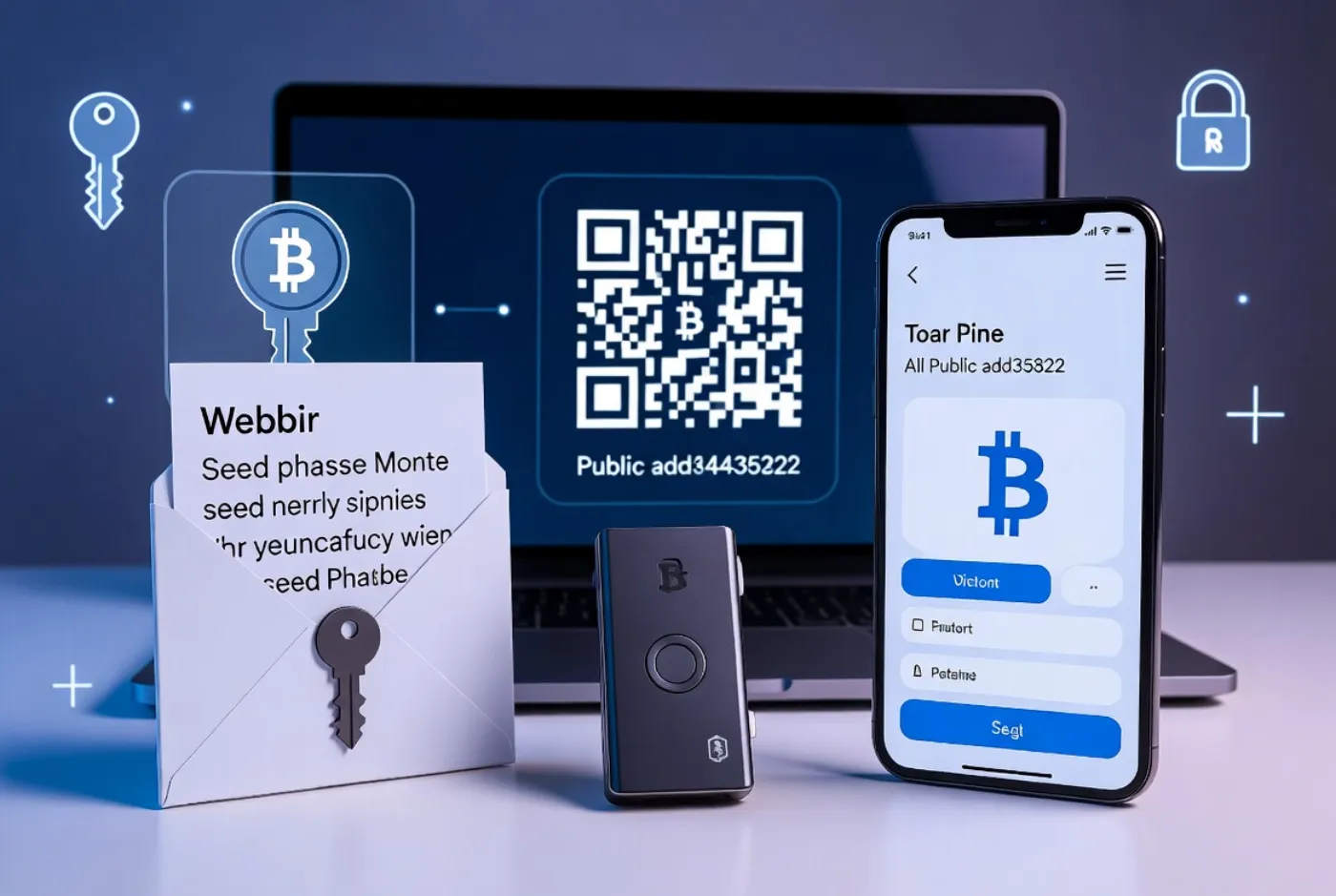
The recovery phrase (seed phrase) is literally your backup for accessing all Bitcoin if the wallet device is lost, stolen, or corrupted.
Protecting and storing the seed phrase is the single most important Bitcoin security task.
Backup Methods and Security Hierarchy
Paper Backup (Simplest). Write the seed phrase on high-quality acid-free paper with a pen. Store in a fireproof safe, safety deposit box, or waterproof container. Advantages: completely offline, impossible to hack.
Disadvantages: vulnerable to fire, water damage, and physical loss. Many users store paper backups in multiple physical locations to reduce risk of single-point failure.
Steel Backup (More Durable). Specialized steel capsules (such as CryptoSteel Capsule or Billfodl) store seed words by stamping or engraving letters.
These withstand fire (up to 1500°C) and water indefinitely. Cost: $70-150. Highly recommended for Bitcoin holdings above $10,000.
Multisig Backup (Advanced). Use a 2-of-3 multisig setup: split your recovery data across three physical locations, requiring any two to restore.
This protects against single-location disasters while maintaining security. Technical setup; requires understanding multisignature wallets.
What NOT To Do With Your Seed Phrase
Never store your seed phrase digitally: not in email, cloud storage, password managers, or photos. A single breach exposes your phrase and loses your Bitcoin instantly.
Never share your seed phrase with anyone, including support staff, exchange employees, or family members (even family members will lose or mishandle it eventually).
Never type your seed phrase into your computer; once typed on an internet-connected device, the words are vulnerable to malware logging keystrokes.
The Three Biggest Bitcoin Wallet Security Failures (Real Cases)
Understanding how users actually lose Bitcoin prevents you from making the same mistakes. Real-world security research shows three failure modes dominate:
Phishing Attacks on Seed Phrases. Attackers send emails impersonating MetaMask, BlueWallet, or Ledger support claiming there is a security issue and requesting your seed phrase “for verification.”
In 2024, 34% of reported Bitcoin losses traced back to phishing attacks stealing seed phrases. Real support staff never ask for seed phrases under any circumstances. If you receive such a message, it is a scam.
Malware on Mobile Devices. Banking trojans (malware disguised as legitimate apps) infect Android phones and steal seed phrases from cryptocurrency wallets.
In 2024, mobile malware targeting crypto wallets infected over 2.1 million devices. Defense: only install wallets from official app stores, enable two-factor authentication on all accounts associated with the wallet, and keep device software fully updated.
Lost Recovery Phrases. Users lose Bitcoin permanently by losing access to their recovery phrases.
The case of James Howell (Newport, UK) who accidentally threw away a hard drive containing 7,500 BTC (worth $250+ million in 2025) remains the most publicized example. There is no recovery process; lost phrases mean lost Bitcoin forever.
Advanced: Multisig Wallets and Air-Gapped Security
Users holding significant Bitcoin (over $50,000) should consider more sophisticated security architectures beyond single-key wallets.
Multisig Wallets (M-of-N Schemes). A multisig wallet requires multiple keys to authorize spending. Example: a 2-of-3 multisig requires any two of three keys to approve a transaction.
You can hold one key, store another with a family member, and place the third in a lawyer’s safe. This protects against single key theft or loss; an attacker needs two keys to steal funds.
Air-Gapped Signing. An air-gapped computer (never connected to the internet) creates and signs Bitcoin transactions. Transaction data is transferred to the internet-connected device via USB drive or QR codes.
This eliminates compromise risk: even if your internet-connected device is fully compromised, the air-gapped device remains secure. Requires technical setup and ongoing device maintenance.
Receiving Bitcoin: Test Transactions First
Before moving significant Bitcoin to your wallet, always test with a small amount. Send 0.001 Bitcoin (approximately $40 in 2026) from your exchange or another wallet to your new receiving address. If you don’t have any Bitcoin yet, our guide on how to buy Bitcoin in Pakistan walks through the P2P process step by step.
Verify it arrives within 10 minutes. This confirms three critical facts: your address is correct, your wallet receives funds properly, and the recovery phrase works correctly.
Beginners commonly make address-entry errors, misunderstand bech32 (bc1…) format, or discover their recovery phrase was written incorrectly. A test transaction confirms everything works before you send large amounts.
Sending Bitcoin: What Network Fees Actually Are
Network fees (transaction fees) pay Bitcoin miners to include your transaction in a block. Fees are not centrally set; they fluctuate based on network demand.
When many users want to send Bitcoin (bull markets, market volatility), fees spike. During quiet periods, fees drop to near-zero.
Modern wallets estimate fees based on current network conditions and present fee tiers: low (slower, cheaper; waits 1-5 hours), medium (standard; 10-30 minutes), and high (expensive; immediate).
When sending large amounts, always verify the fee tier before confirming. A poorly configured high-fee transaction on Bitcoin can cost $20-100 in network fees alone.
For urgent transactions, this is necessary; for non-urgent transfers, medium or low fees save money.
Bitcoin Wallet Regulations and Compliance (2026 Global Status)

Bitcoin wallets face evolving regulatory treatment globally. In most jurisdictions, self-custody wallets remain legal.
However, regulatory context varies significantly. The United States and European Union have proposed rules classifying “unhosted wallets” (self-custody wallets without institutional custodians) as higher-risk for money laundering purposes.
These rules do not ban self-custody; they require exchanges to perform enhanced due diligence when users withdraw to personal wallets.
The regulatory landscape remains unsettled. Users should stay informed about regulations in their jurisdiction and maintain clear records of their Bitcoin acquisition (purchase date, cost basis) for tax reporting if required.
Multi-Wallet Strategy: Beginners to Advanced
Experienced Bitcoin users employ multiple wallets with segregated purposes:
Daily Spending Wallet. Mobile hot wallet (Blue Wallet, Trust Wallet) on smartphone. Holds 1-5% of total Bitcoin for everyday transactions and spending. If compromised, losses are limited to weekly/monthly spending amounts.
Trading Wallet. Desktop or web wallet connected to exchange APIs. Holds Bitcoin needed for active trading.
Separate from cold storage to avoid moving trading capital in and out of hardware wallets constantly (which is expensive and risky).
Long-Term Savings Wallet. Hardware wallet (Ledger, Trezor, Coldcard) or air-gapped computer. Holds 50-90% of total Bitcoin. Accessed rarely; maximum security. This wallet should not be connected to trading platforms.
Frequently Asked Questions
Can I use multiple Bitcoin wallets at the same time?
Yes. Advanced users maintain three to five wallets with different purposes. Each wallet has its own seed phrase and recovery process. This strategy limits damage from any single wallet compromise.
What happens if I forget my wallet password?
If you have your recovery phrase (seed phrase) written down, you can restore full access on any compatible wallet. The password only protects that specific wallet instance; the recovery phrase is the master access key. If you have lost both the password and the seed phrase, your Bitcoin is irretrievable.
Is my Bitcoin safe on a hardware wallet?
A hardware wallet is as safe as the seed phrase you back up. If your seed phrase is properly backed up and physically secured, your Bitcoin is essentially unrecoverable by attackers. Ledger devices have never been successfully hacked despite millions in bounties offered. However, if someone obtains your seed phrase (written backup), they can access the Bitcoin without possessing the physical device.
Why would I use a mobile wallet instead of a hardware wallet?
Mobile wallets offer speed, convenience, and accessibility. You can receive Bitcoin instantly, make payments, and send transfers without a computer. Hardware wallets require physical device connection and take minutes per transaction. For small daily amounts and frequent transactions, mobile wallets are superior despite higher security risk.
What is Bitcoin Lightning Network and do I need it?
Lightning is a layer-2 network enabling instant Bitcoin payments with near-zero fees. Instead of using the main blockchain (slow, expensive), Lightning creates payment channels between users. Wallets like Phoenix and Blue Wallet support Lightning. For everyday transactions under $100, Lightning is superior to on-chain Bitcoin. For larger amounts or long-term storage, on-chain Bitcoin remains preferable.
Are Bitcoin wallets legal in my country?
In almost all countries, Bitcoin wallets are legal. A handful of countries (China, Iran, and a few others) restrict cryptocurrency ownership, but even in those jurisdictions, Bitcoin wallets are not explicitly banned—rather, all cryptocurrency trading is restricted or prohibited. Check your local regulations, but in Western democracies and most Asian countries, wallet ownership is fully legal.
Conclusion: Your Bitcoin, Your Security, Your Responsibility
Getting a Bitcoin wallet is the first step toward financial sovereignty. Unlike traditional money stored in banks (where the bank controls access), a Bitcoin wallet you control means only you can move or spend your Bitcoin.
No government, bank, or corporation can freeze your account or prevent transactions.
This control comes with responsibility. You become your own bank. Security failures are permanent: lost seed phrases mean lost Bitcoin forever, with no customer support or recovery options.
Choosing the right wallet for your use case, properly backing up your recovery phrase, and maintaining basic cybersecurity are non-negotiable.
Begin with a small test transaction in a mobile hot wallet. Once comfortable with Bitcoin mechanics, move to a hardware wallet for long-term storage.
Understand address formats, network fees, and the difference between custodial exchange wallets and self-custody. Join the 610 million Bitcoin wallet users who have already chosen financial self-custody over traditional banking intermediaries.
The Bitcoin network processes transactions without your permission and cannot be shut down. Your Bitcoin wallet is the tool that proves ownership and authorizes spending. Use it wisely.
Financial Disclaimer: Bitcoin wallet management and cryptocurrency storage involve technical and financial risk.
This article provides educational information only and should not be construed as financial advice, security advice, or recommendations to purchase any specific wallet product or cryptocurrency.
Always perform independent research, consult qualified cybersecurity professionals for advanced security architectures, and consult tax professionals regarding cryptocurrency tax obligations in your jurisdiction.
All cryptocurrency investments carry the risk of total loss.
If you prefer a free, open-source desktop wallet, follow our guide on how to use Sparrow Wallet to set up self-custody in about fifteen minutes.